> ## Documentation Index
> Fetch the complete documentation index at: https://docs.drdroid.io/llms.txt
> Use this file to discover all available pages before exploring further.
# Product Updates
> New updates and improvements
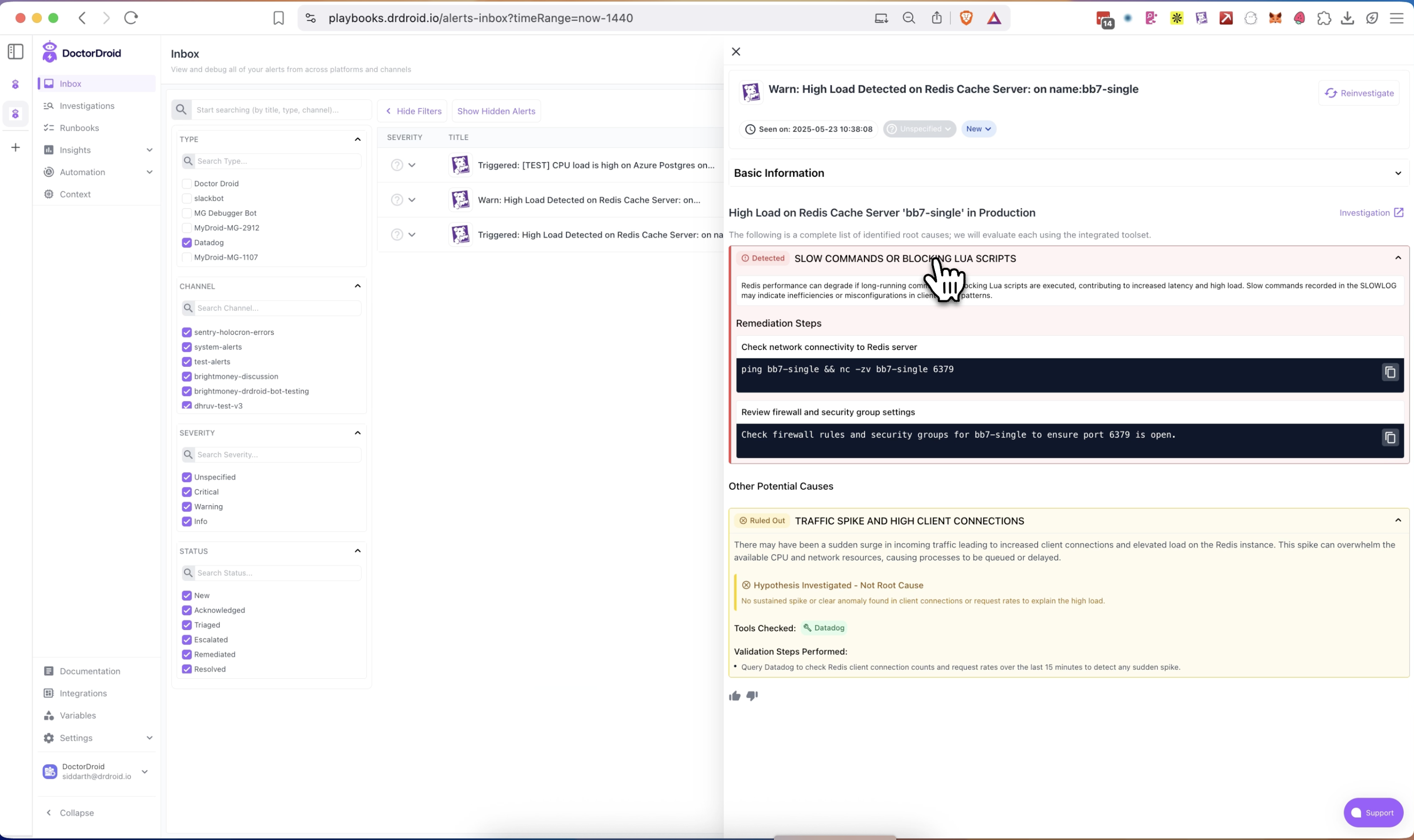
## Enhanced Alert Investigation Panel
### 🧠 Hypothesis Visibility:
Get instant visibility into the potential root cause hypotheses auto-generated by the DrDroid AI Agent for any alert — right in the expanded side panel.
### 🔍 Tool Usage Transparency:
Whenever DrDroid accesses your integrated tools (e.g., Datadog, Prometheus) for data validation, it's now clearly displayed to you along with the relevant steps performed.
## Context Engine:
* Service Catalog Auto-Mapping: Automatically pulls data from APMs, Kubernetes clusters, and CI/CD pipelines to build your service inventory.
* Infrastructure Catalog Integration: Syncs with your cloud provider to generate a real-time infrastructure map.
* Tooling Detection: Infers observability and alerting tools from incoming alert streams — no manual config required.
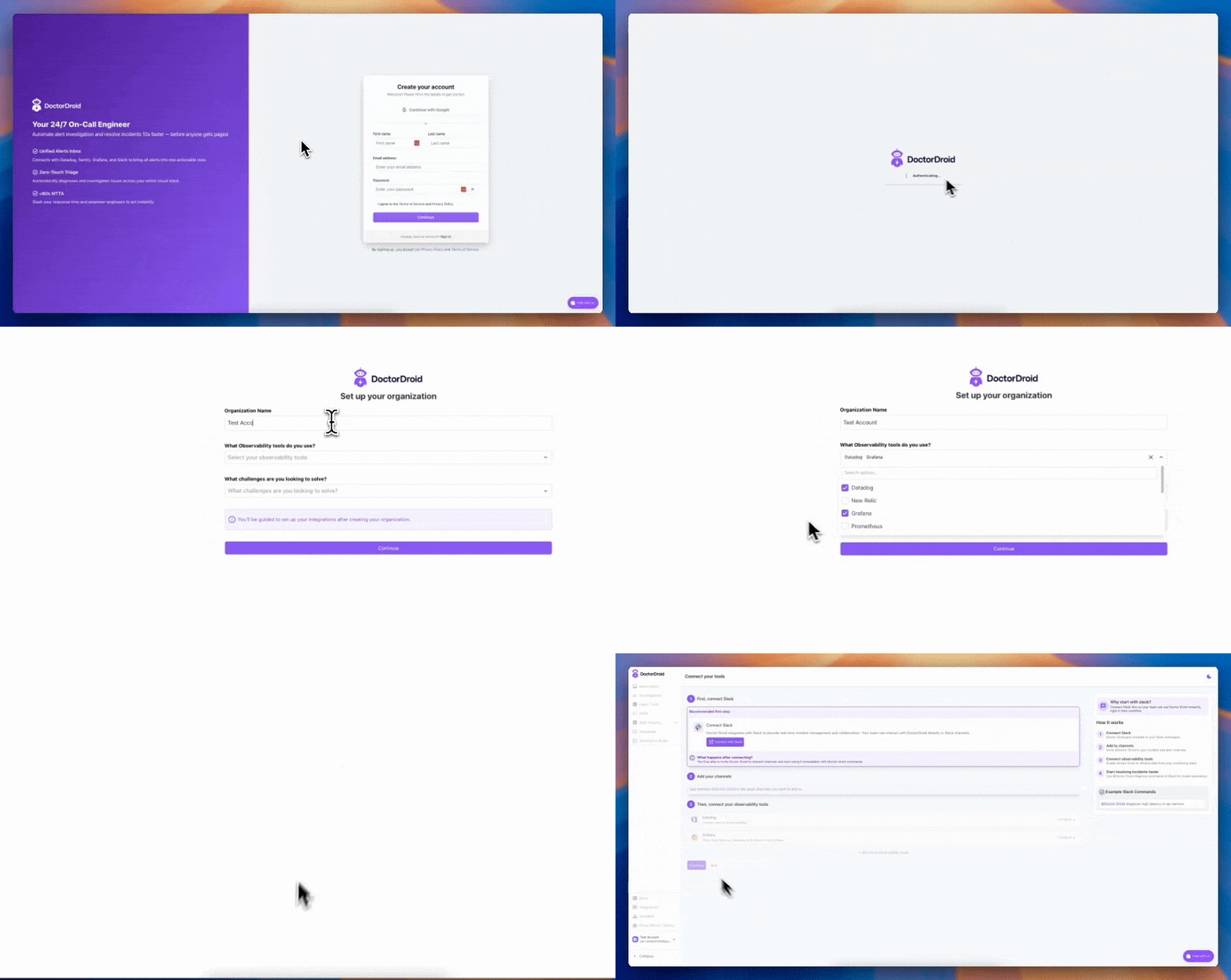
## Onboarding Upgrades
### New Signup Flow & Org Setup
Better onboarding, 1-click Slack integration, and responsive experience for new users.
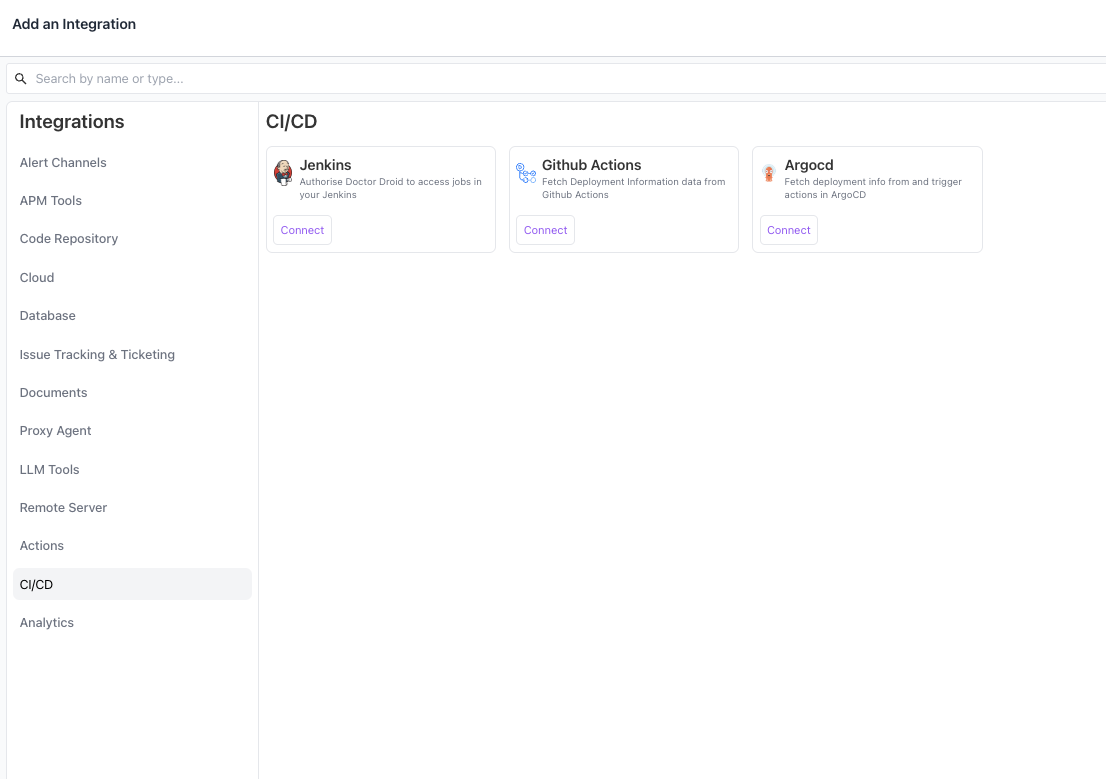
### Categorisation on Integrations Page
Integrations are now categorized for better discoverability and can be installed more seamlessly.
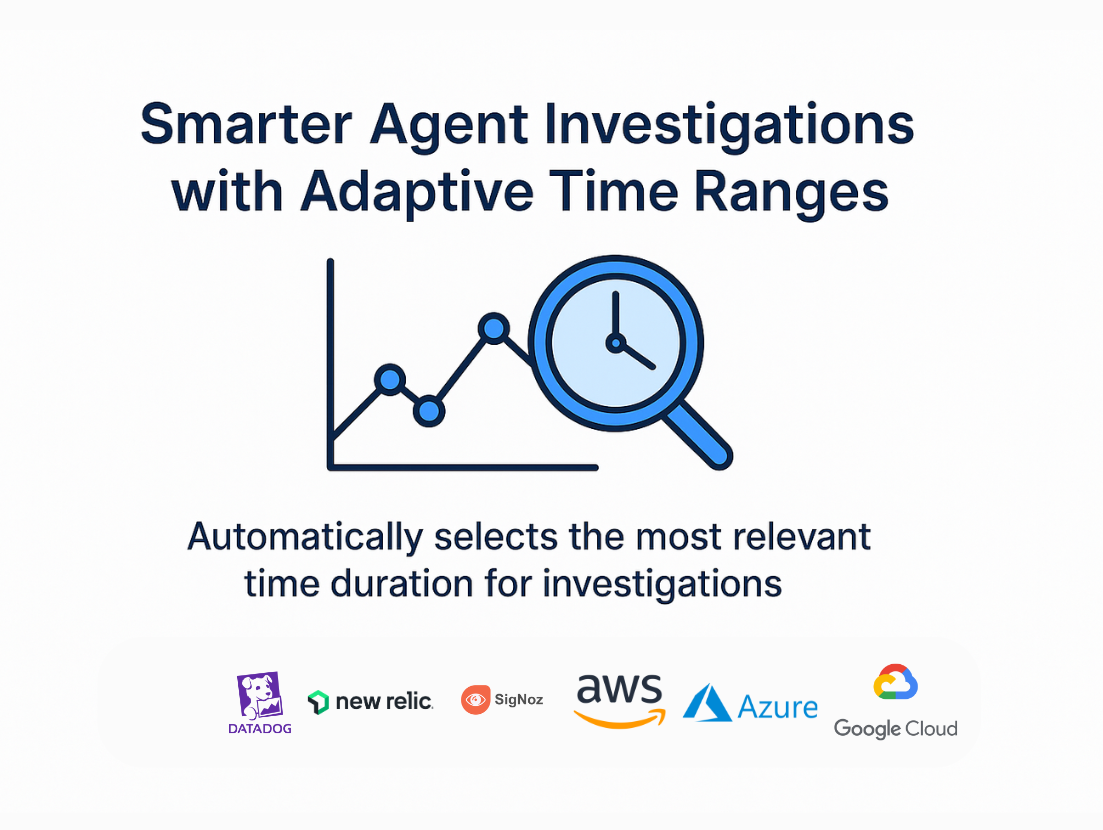
## Smarter Agent Investigations with Adaptive Time Ranges
The DrDroid Agent is now more intelligent—automatically selecting the most relevant time duration for investigations based on context.
This ensures investigations are more focused, and reduce noise from irrelevant data.
✅ Improves Across:
* AWS
* Azure
* GCP
* Datadog
* New Relic
* Signoz
## VPC agent Upgrades
## 🚀 Updates to the VPC Agent
Context: DrDroid's VPC agent enables you to securely integrate tools inside your VPC to DrDroid cloud — no changes to security groups or ingress policies required.
With the latest update to the [drd-vpc-agent](https://github.com/DrDroidLab/drd-vpc-agent), we're making deployments faster and smarter.
## ⚡ One Command Setup for Docker & Helm
You can now install or update the VPC Agent using a **single command**, directly from your machine.
**For Docker:**
```shell theme={null}
./deploy_docker.sh
```
**For Helm:**
```shell theme={null}
./deploy_k8s.sh
```
*No more manual steps. Just plug in your API token from the platform and go.*
## 🛠️ Helm-Specific Enhancements
### ✅ Automatic Kubernetes Integration
When installed via Helm, the agent automatically registers a **Kubernetes connector** for the cluster it's deployed in.
* The agent gains **read-only access** to the cluster. It can start **fetching cluster metrics** immediately—no manual setup needed.
### 🔄 Daily Auto-Upgrades
The VPC Agent now supports **auto-updates of the agent image every day at 00:00 UTC**.
* Default deployment namespace: `drdroid`
* To customize, simply update the `namespace` in `helm/deploy_helm.sh`
## Alerts Inbox v0 – Initial Release
Prefer watching? There's a demo video at the end.
### Unified Alert View
All your alerts from multiple sources are now visible in one consolidated screen — searchable and filterable by time, channel, or tool.
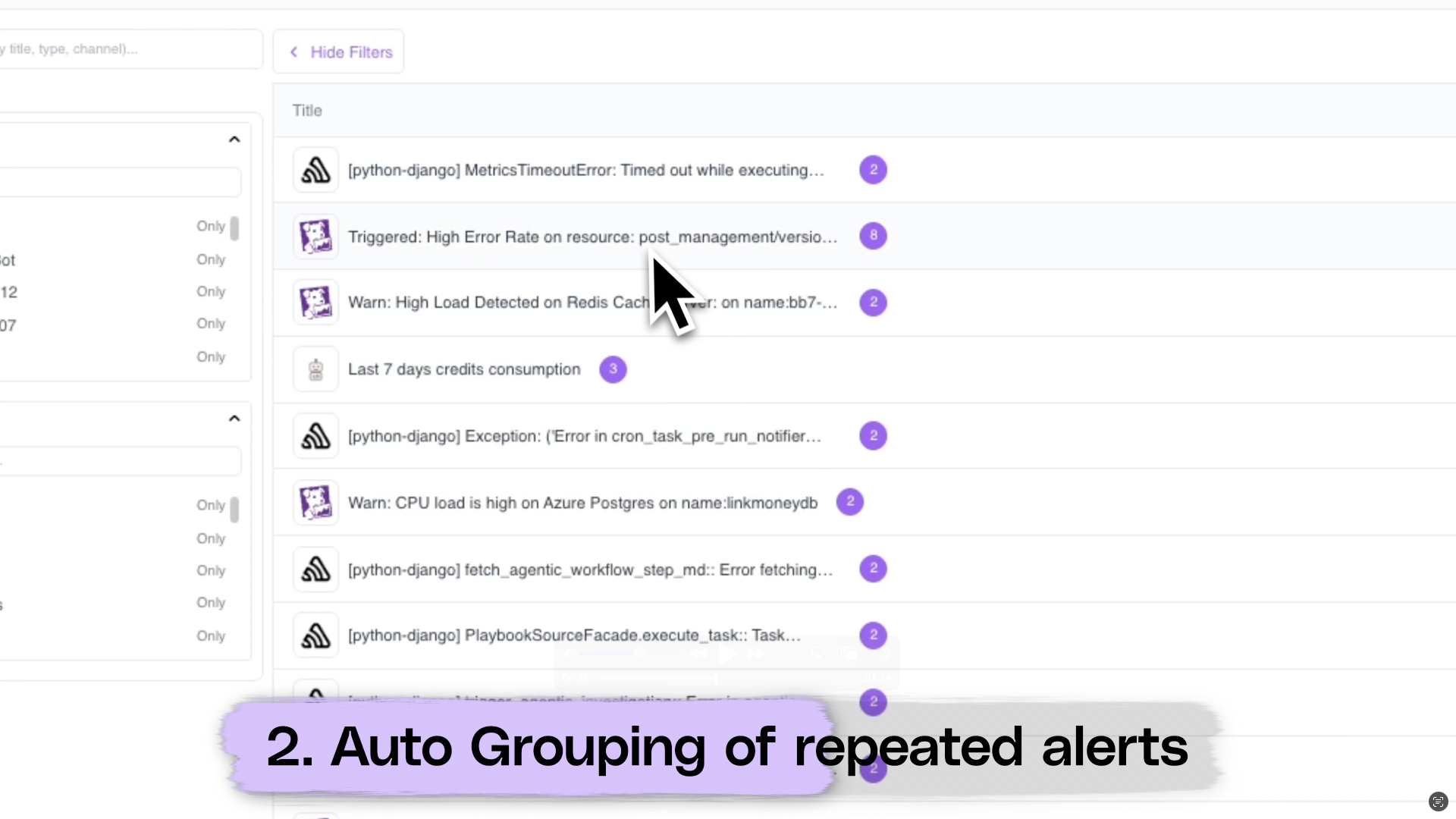
### Auto Grouping of repeated alerts
Recurring alerts with the same title are auto-grouped together to reduce noise and make it easier to triage common issues.
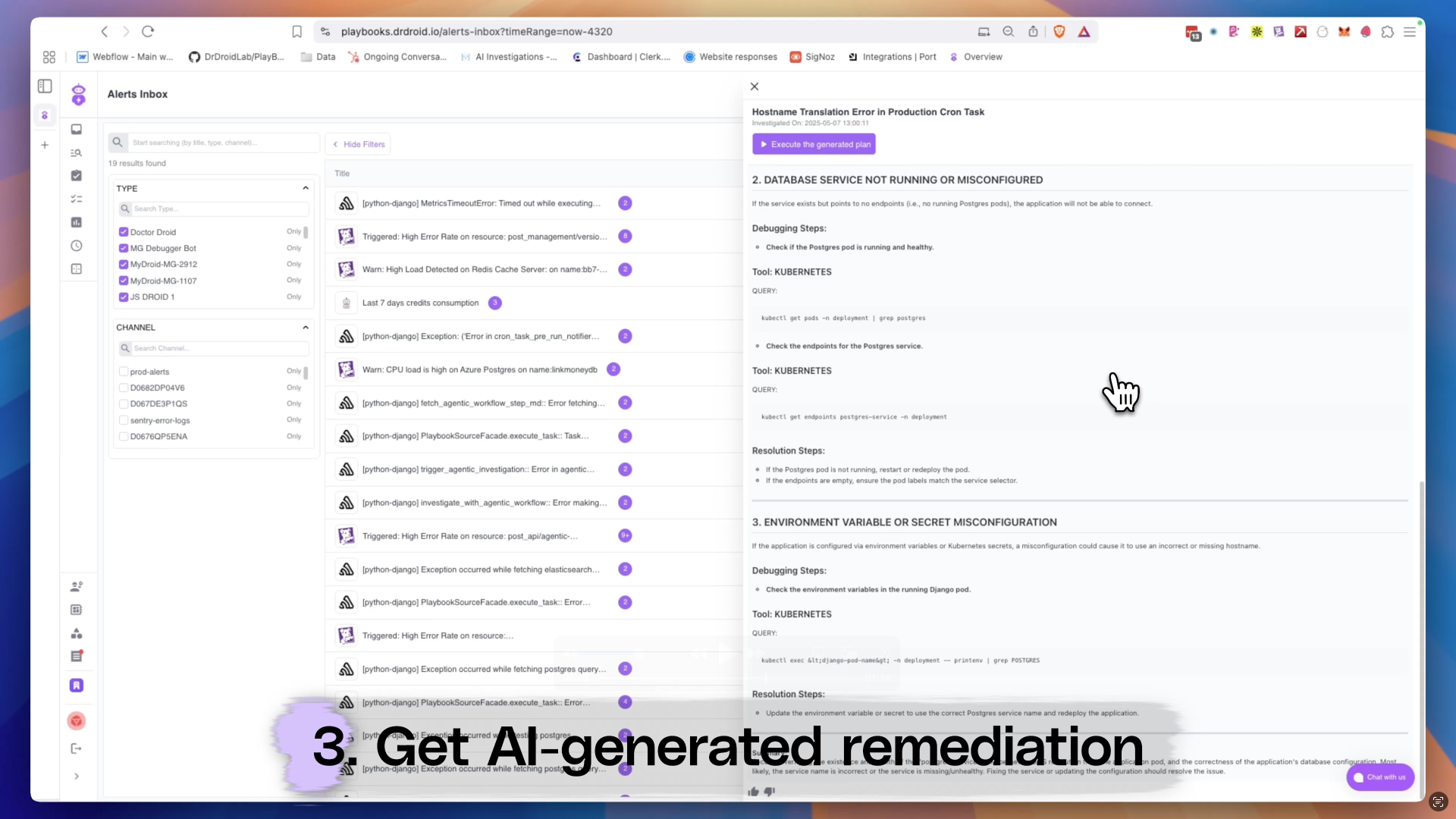
### Get AI-generated remediation
Instantly run a debug flow on any alert and get pinpointed remediation suggestions — powered by Doctor Droid's AI engine.
### Demo Video:
 ### 🧠 Hypothesis Visibility:
Get instant visibility into the potential root cause hypotheses auto-generated by the DrDroid AI Agent for any alert — right in the expanded side panel.
### 🔍 Tool Usage Transparency:
Whenever DrDroid accesses your integrated tools (e.g., Datadog, Prometheus) for data validation, it's now clearly displayed to you along with the relevant steps performed.
### 🧠 Hypothesis Visibility:
Get instant visibility into the potential root cause hypotheses auto-generated by the DrDroid AI Agent for any alert — right in the expanded side panel.
### 🔍 Tool Usage Transparency:
Whenever DrDroid accesses your integrated tools (e.g., Datadog, Prometheus) for data validation, it's now clearly displayed to you along with the relevant steps performed.
 ### Categorisation on Integrations Page
Integrations are now categorized for better discoverability and can be installed more seamlessly.
### Categorisation on Integrations Page
Integrations are now categorized for better discoverability and can be installed more seamlessly.
 ## Smarter Agent Investigations with Adaptive Time Ranges
The DrDroid Agent is now more intelligent—automatically selecting the most relevant time duration for investigations based on context.
## Smarter Agent Investigations with Adaptive Time Ranges
The DrDroid Agent is now more intelligent—automatically selecting the most relevant time duration for investigations based on context.
 This ensures investigations are more focused, and reduce noise from irrelevant data.
✅ Improves Across:
* AWS
* Azure
* GCP
* Datadog
* New Relic
* Signoz
## VPC agent Upgrades
## 🚀 Updates to the VPC Agent
Context: DrDroid's VPC agent enables you to securely integrate tools inside your VPC to DrDroid cloud — no changes to security groups or ingress policies required.
With the latest update to the [drd-vpc-agent](https://github.com/DrDroidLab/drd-vpc-agent), we're making deployments faster and smarter.
## ⚡ One Command Setup for Docker & Helm
You can now install or update the VPC Agent using a **single command**, directly from your machine.
**For Docker:**
```shell theme={null}
./deploy_docker.sh
This ensures investigations are more focused, and reduce noise from irrelevant data.
✅ Improves Across:
* AWS
* Azure
* GCP
* Datadog
* New Relic
* Signoz
## VPC agent Upgrades
## 🚀 Updates to the VPC Agent
Context: DrDroid's VPC agent enables you to securely integrate tools inside your VPC to DrDroid cloud — no changes to security groups or ingress policies required.
With the latest update to the [drd-vpc-agent](https://github.com/DrDroidLab/drd-vpc-agent), we're making deployments faster and smarter.
## ⚡ One Command Setup for Docker & Helm
You can now install or update the VPC Agent using a **single command**, directly from your machine.
**For Docker:**
```shell theme={null}
./deploy_docker.sh 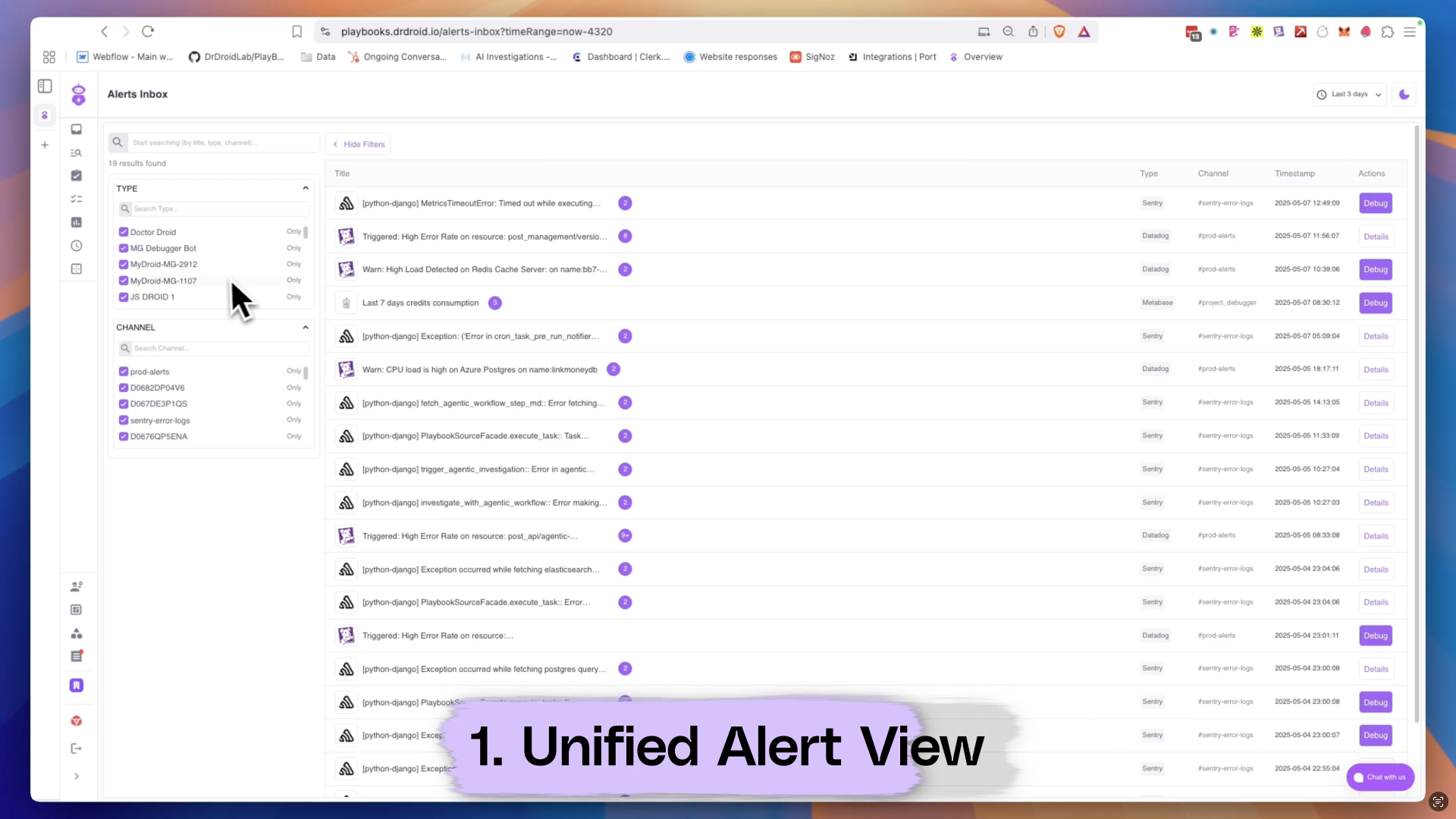 ### Auto Grouping of repeated alerts
Recurring alerts with the same title are auto-grouped together to reduce noise and make it easier to triage common issues.
### Auto Grouping of repeated alerts
Recurring alerts with the same title are auto-grouped together to reduce noise and make it easier to triage common issues.
 ### Get AI-generated remediation
Instantly run a debug flow on any alert and get pinpointed remediation suggestions — powered by Doctor Droid's AI engine.
### Get AI-generated remediation
Instantly run a debug flow on any alert and get pinpointed remediation suggestions — powered by Doctor Droid's AI engine.
 ### Demo Video: