> ## Documentation Index
> Fetch the complete documentation index at: https://docs.drdroid.io/llms.txt
> Use this file to discover all available pages before exploring further.
# Noise Reduction
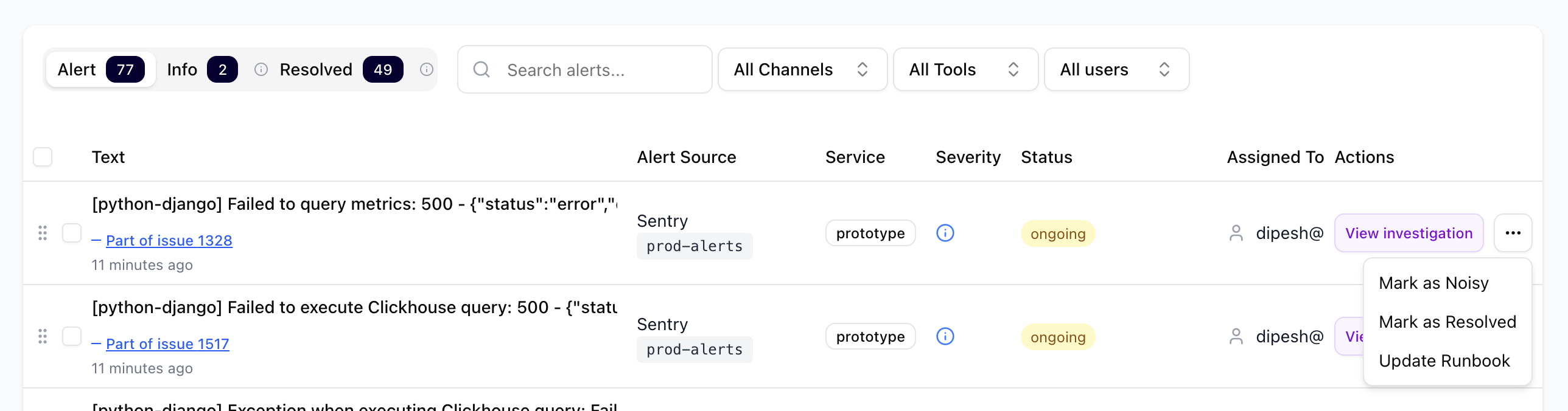
You can mark an alert noisy and remove it from being grouped into issues. Go to the actions drop-down on the right of an alert row and click on 'Mark as Noisy'.
 You can create a workflow where alerts matching certain conditions will be marked as 'info' and won't be considered or notified.
Once you click on 'Mark as Noisy', the workflow editor opens with that alert definitions pre-configured.
You can create a workflow where alerts matching certain conditions will be marked as 'info' and won't be considered or notified.
Once you click on 'Mark as Noisy', the workflow editor opens with that alert definitions pre-configured.
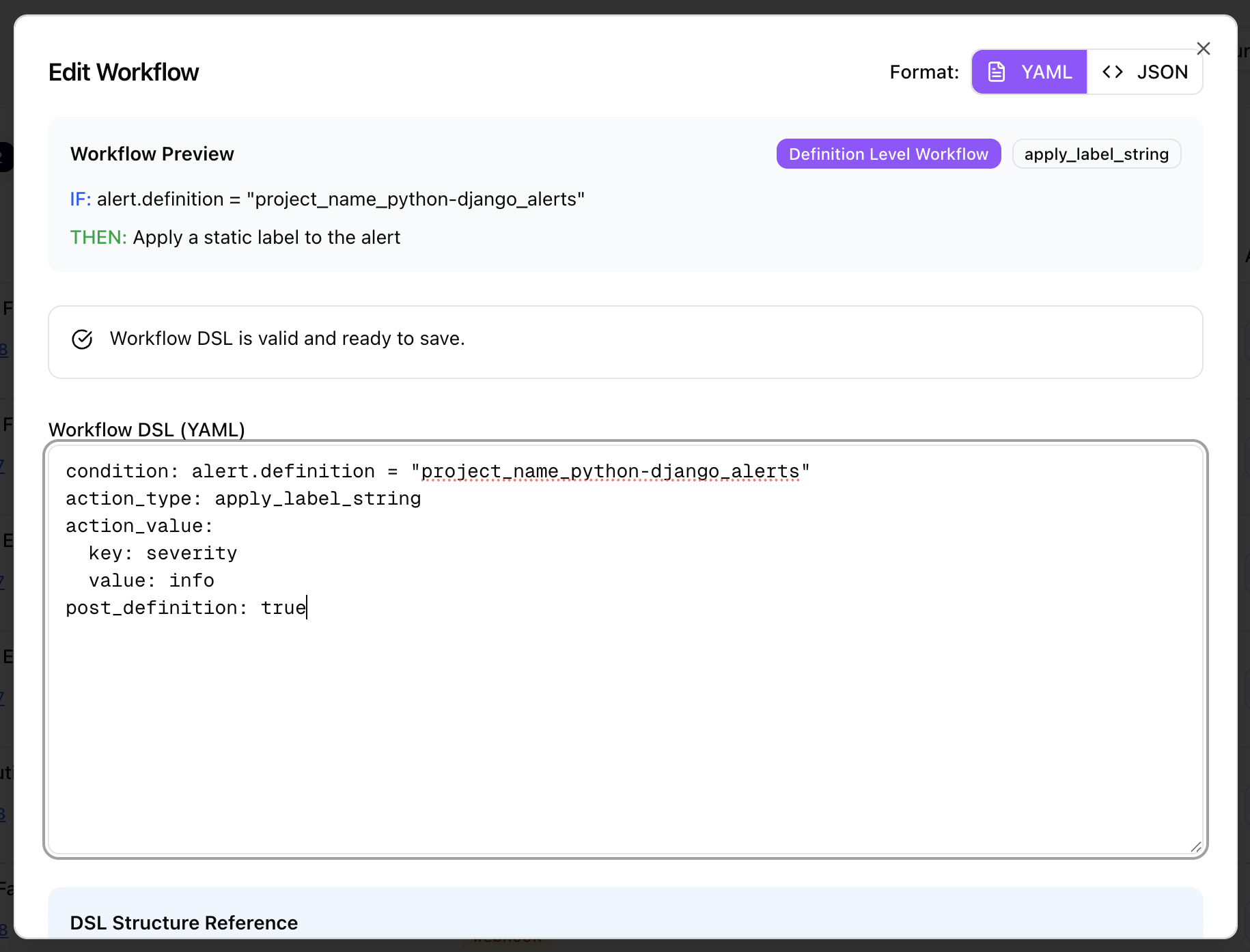 Once you save the workflow, it will be effective for all future alerts matching the conditions configured.
For automatic clustering of related alerts into a single issue, see [Alert Grouping](/monitor/alert-grouping).
Once you save the workflow, it will be effective for all future alerts matching the conditions configured.
For automatic clustering of related alerts into a single issue, see [Alert Grouping](/monitor/alert-grouping).