> ## Documentation Index
> Fetch the complete documentation index at: https://docs.drdroid.io/llms.txt
> Use this file to discover all available pages before exploring further.
# Datadog
In this page:
* How to build [Datadog Connection](#connection)?
* [Types of Querying](#querying) Permitted on Datadog
## Connection:
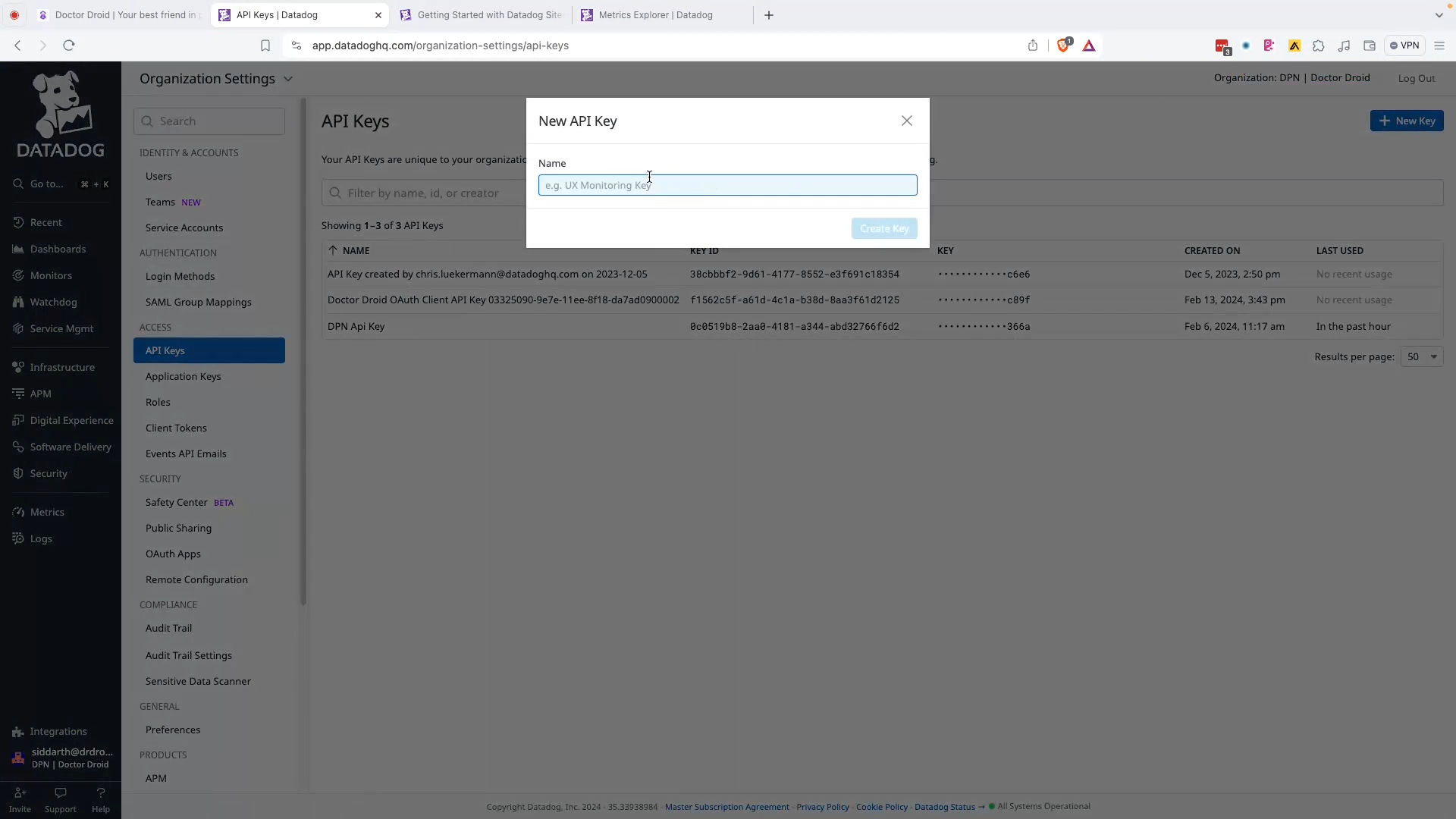
#### Step 1: Create an API key associated with your user.
You can name this one 'dr-droid-key' and copy the "Key".
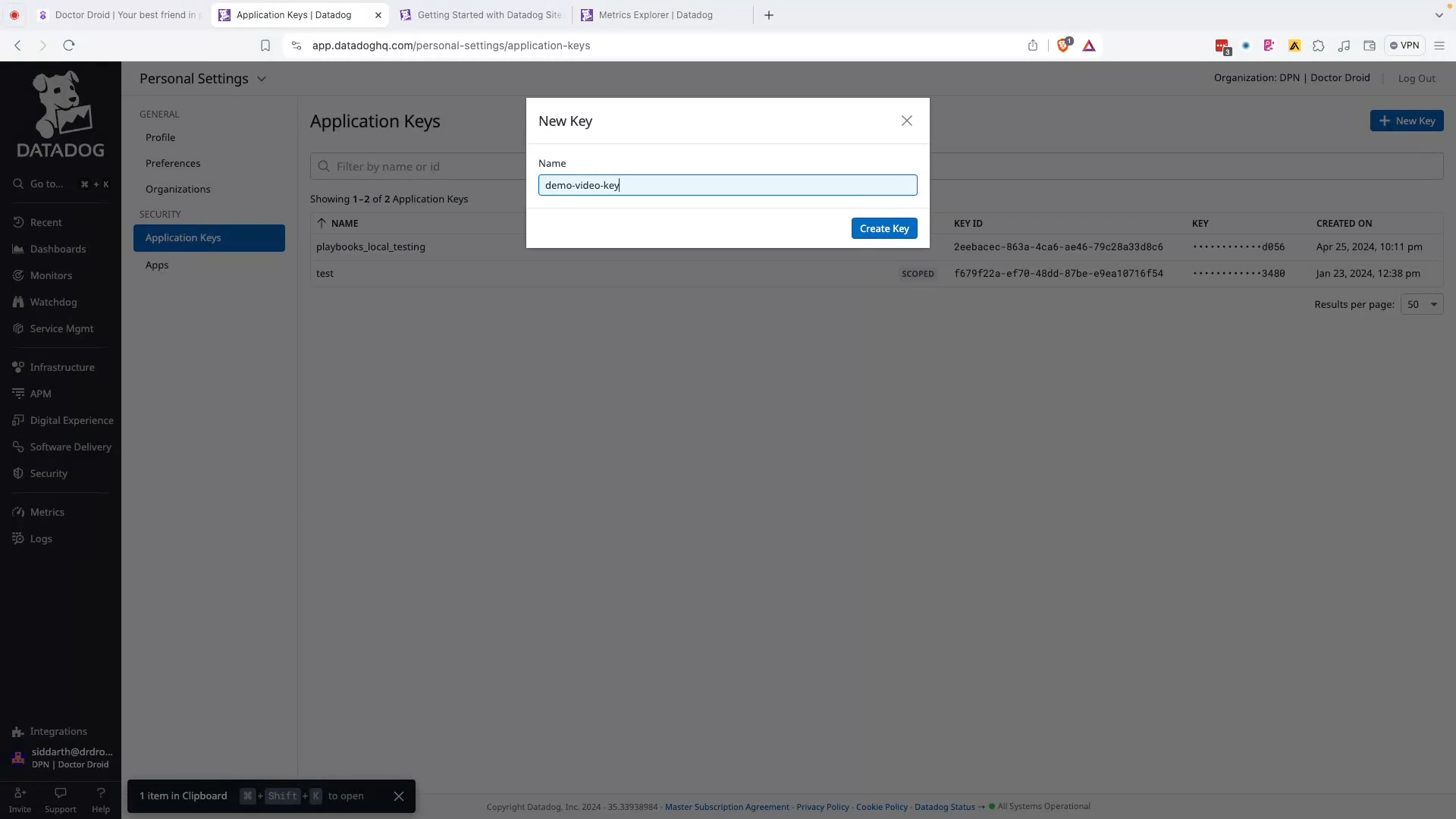
#### Step 2: Create an APP key with the following scopes:
Scopes requested (optional):
* **apm\_service\_catalog\_read**
* **apm\_api\_catalog\_read**
* **logs\_read\_data**
* **logs\_read\_index\_data**
* **ci\_visibility\_read**
* **dashboards\_read**
* **events\_read**
* **incident\_notification\_settings\_write**
* **incident\_read**
* **incident\_settings\_write**
* **incident\_write**
* **metrics\_read**
* **monitors\_read**
* **slos\_read**
* **create\_webhooks**
* **timeseries\_query**
* **apm\_read**
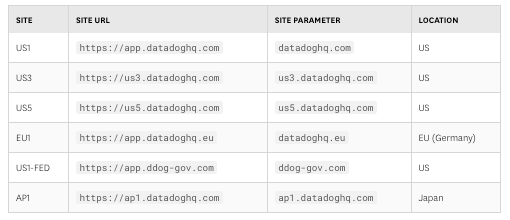
#### Step 3: Enter the relevant Site Parameter:
Read more on the different site parameters [here](https://docs.datadoghq.com/getting_started/site/).
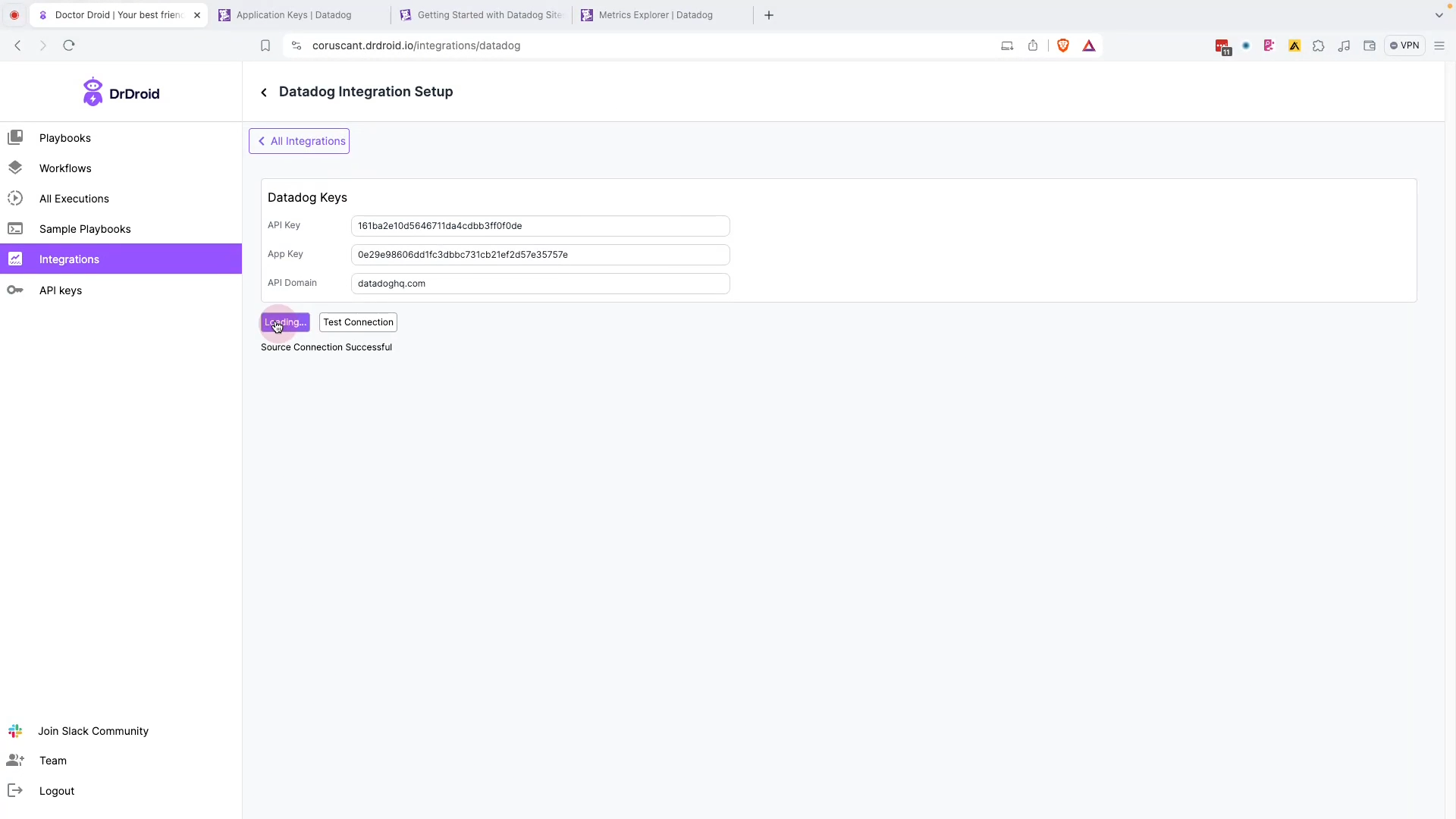
#### Step 4: Test connection & save
## Querying:
Playbooks currently support the following types of queries within Datadog:
* Fetching results of any custom datadog metric query.
* Fetching Golden signals by selecting a service name.
* Fetching panels from any custom dashboard in Datadog.
* Selecting any of the metric that has been identified by Datadog's [metric summary](https://docs.datadoghq.com/metrics/summary/).
* Fetching logs from Datadog.
 #### Step 2: Create an APP key with the following scopes:
 Scopes requested (optional):
* **apm\_service\_catalog\_read**
* **apm\_api\_catalog\_read**
* **logs\_read\_data**
* **logs\_read\_index\_data**
* **ci\_visibility\_read**
* **dashboards\_read**
* **events\_read**
* **incident\_notification\_settings\_write**
* **incident\_read**
* **incident\_settings\_write**
* **incident\_write**
* **metrics\_read**
* **monitors\_read**
* **slos\_read**
* **create\_webhooks**
* **timeseries\_query**
* **apm\_read**
#### Step 3: Enter the relevant Site Parameter:
Read more on the different site parameters [here](https://docs.datadoghq.com/getting_started/site/).
Scopes requested (optional):
* **apm\_service\_catalog\_read**
* **apm\_api\_catalog\_read**
* **logs\_read\_data**
* **logs\_read\_index\_data**
* **ci\_visibility\_read**
* **dashboards\_read**
* **events\_read**
* **incident\_notification\_settings\_write**
* **incident\_read**
* **incident\_settings\_write**
* **incident\_write**
* **metrics\_read**
* **monitors\_read**
* **slos\_read**
* **create\_webhooks**
* **timeseries\_query**
* **apm\_read**
#### Step 3: Enter the relevant Site Parameter:
Read more on the different site parameters [here](https://docs.datadoghq.com/getting_started/site/).
 #### Step 4: Test connection & save
 ## Querying:
Playbooks currently support the following types of queries within Datadog:
* Fetching results of any custom datadog metric query.
* Fetching Golden signals by selecting a service name.
* Fetching panels from any custom dashboard in Datadog.
* Selecting any of the metric that has been identified by Datadog's [metric summary](https://docs.datadoghq.com/metrics/summary/).
* Fetching logs from Datadog.
## Querying:
Playbooks currently support the following types of queries within Datadog:
* Fetching results of any custom datadog metric query.
* Fetching Golden signals by selecting a service name.
* Fetching panels from any custom dashboard in Datadog.
* Selecting any of the metric that has been identified by Datadog's [metric summary](https://docs.datadoghq.com/metrics/summary/).
* Fetching logs from Datadog.