> ## Documentation Index
> Fetch the complete documentation index at: https://docs.drdroid.io/llms.txt
> Use this file to discover all available pages before exploring further.
# Kubernetes
> This document highlights different ways you can integrate your k8s cluster to DrDroid.
The recommended way to integrate your k8s cluster with is via the DRD Proxy Agent.
## Using DRD Agent \[Recommended]
The fastest and easiest way to integrate is to install the DRD agent in your cluster using the proxy token from the platform. Here are the steps to do this:
* Obtain your proxy token from the platform
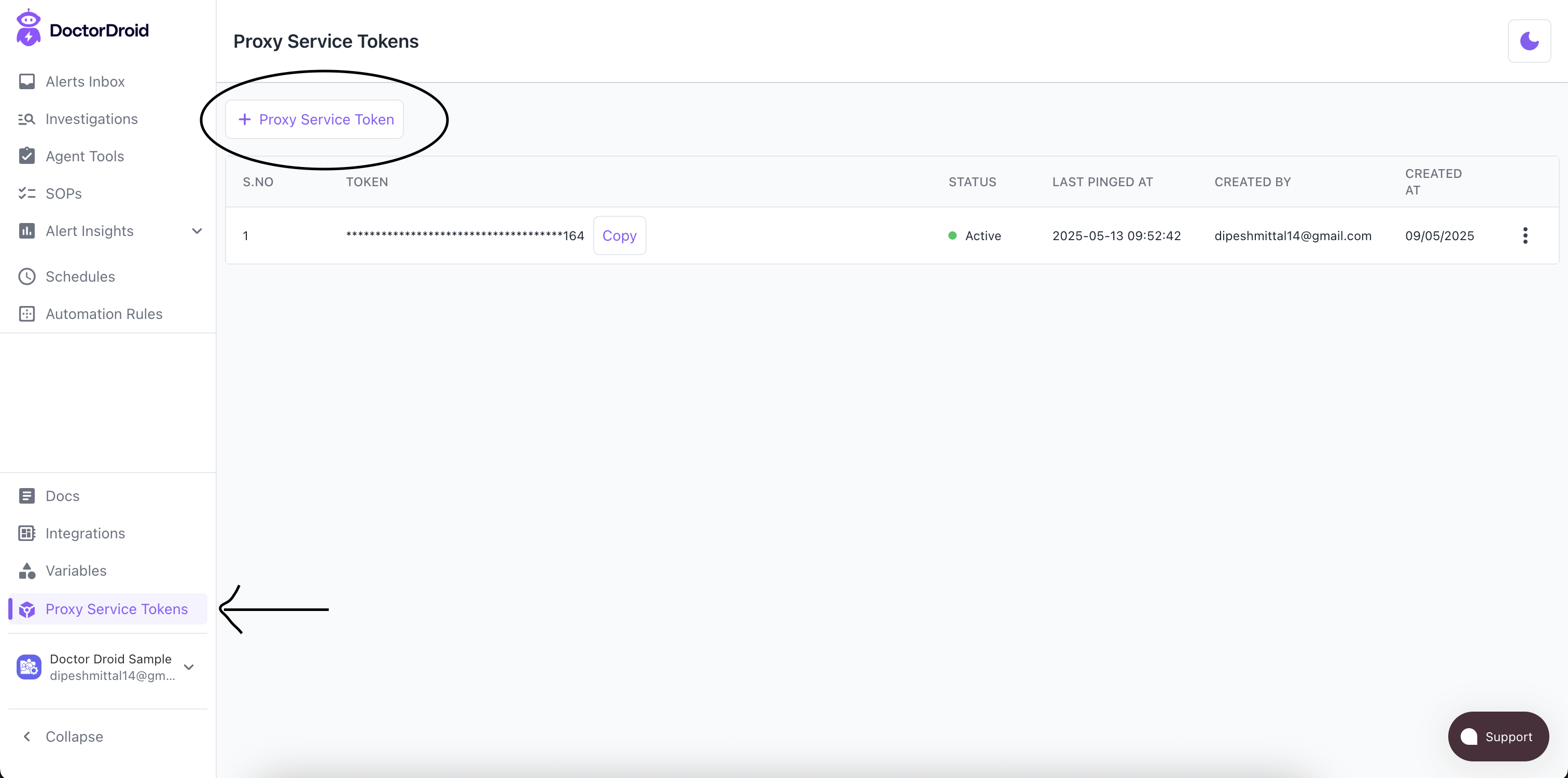 * Follow the instructions for helm-based installation that you can see in Github ([https://github.com/DrDroidLab/drd-vpc-agent](https://github.com/DrDroidLab/drd-vpc-agent))
\-- Clone the DRD Agent repository from github ([https://github.com/DrDroidLab/drd-vpc-agent](https://github.com/DrDroidLab/drd-vpc-agent))
\-- Make sure you are pointing to the right k8s cluster in the kubeconfig. Run the following commands:
```bash bash theme={null}
./deploy_k8s.sh
```
* Post the helm installation, you should see the status as Active for the proxy token you used.
* You should also start seeing the cluster registered with us in the Integrations page.
After this, you can run commands on your k8s cluster from DrDroid for standalone and as part of investigations. Go to the [Home Page](https://aiops.drdroid.io), click on 'DroidAgent' and type this `Get all pods from default namespace in my k8s cluster` and you should get the output.
## Other methods
### Using cloud provider credentials (for managed k8s clusters)
DrDroid allows you to provide IAM credentials from your cloud provider that have been authorised to run kubectl commands in your cluster. Here are details for different cloud providers.
* [Amazon EKS](/integrations/amazon-eks)
* [Google Cloud GKE](/integrations/google-cloud-gke)
* Azure AKS - supported through Kubernetes
* Follow the instructions for helm-based installation that you can see in Github ([https://github.com/DrDroidLab/drd-vpc-agent](https://github.com/DrDroidLab/drd-vpc-agent))
\-- Clone the DRD Agent repository from github ([https://github.com/DrDroidLab/drd-vpc-agent](https://github.com/DrDroidLab/drd-vpc-agent))
\-- Make sure you are pointing to the right k8s cluster in the kubeconfig. Run the following commands:
```bash bash theme={null}
./deploy_k8s.sh
```
* Post the helm installation, you should see the status as Active for the proxy token you used.
* You should also start seeing the cluster registered with us in the Integrations page.
After this, you can run commands on your k8s cluster from DrDroid for standalone and as part of investigations. Go to the [Home Page](https://aiops.drdroid.io), click on 'DroidAgent' and type this `Get all pods from default namespace in my k8s cluster` and you should get the output.
## Other methods
### Using cloud provider credentials (for managed k8s clusters)
DrDroid allows you to provide IAM credentials from your cloud provider that have been authorised to run kubectl commands in your cluster. Here are details for different cloud providers.
* [Amazon EKS](/integrations/amazon-eks)
* [Google Cloud GKE](/integrations/google-cloud-gke)
* Azure AKS - supported through Kubernetes