> ## Documentation Index
> Fetch the complete documentation index at: https://docs.drdroid.io/llms.txt
> Use this file to discover all available pages before exploring further.
# Sentry Integration
> Popular Error Tracking & Monitoring Software
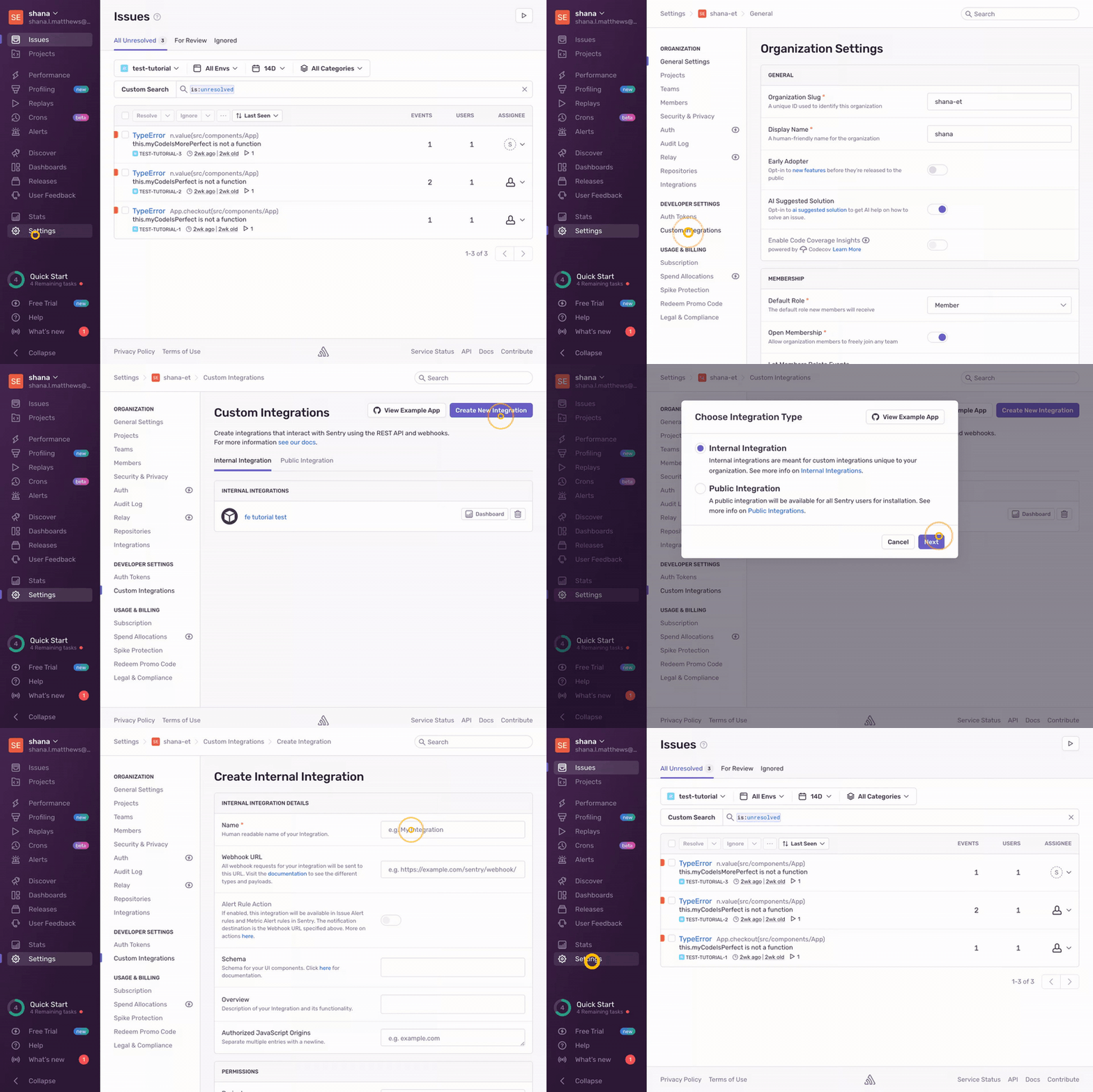
To enable access to Sentry portal, you need to share an API key with us. Here is the process to get the API key:
### Step 1: Create an "Internal Integration":
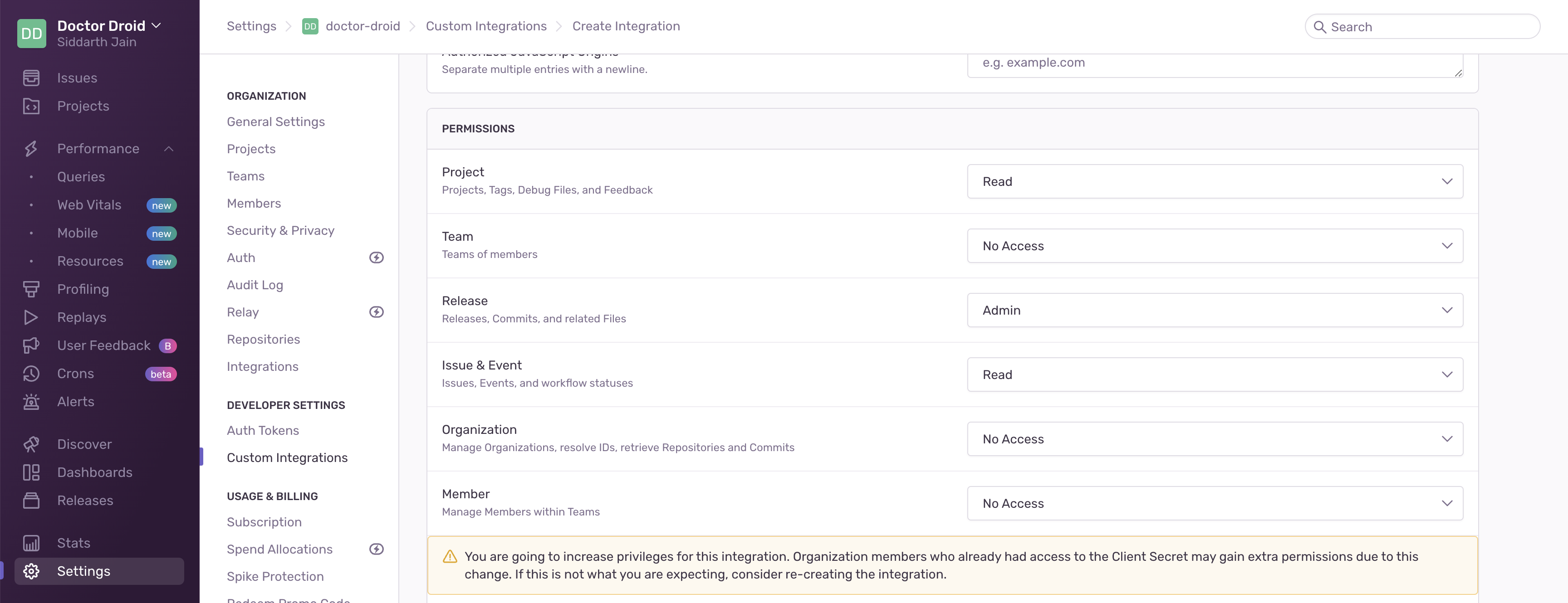
### Step 2: Provide the following scopes:
* Project -- Read
* Issue & Event -- Read
* Organisation -- Read
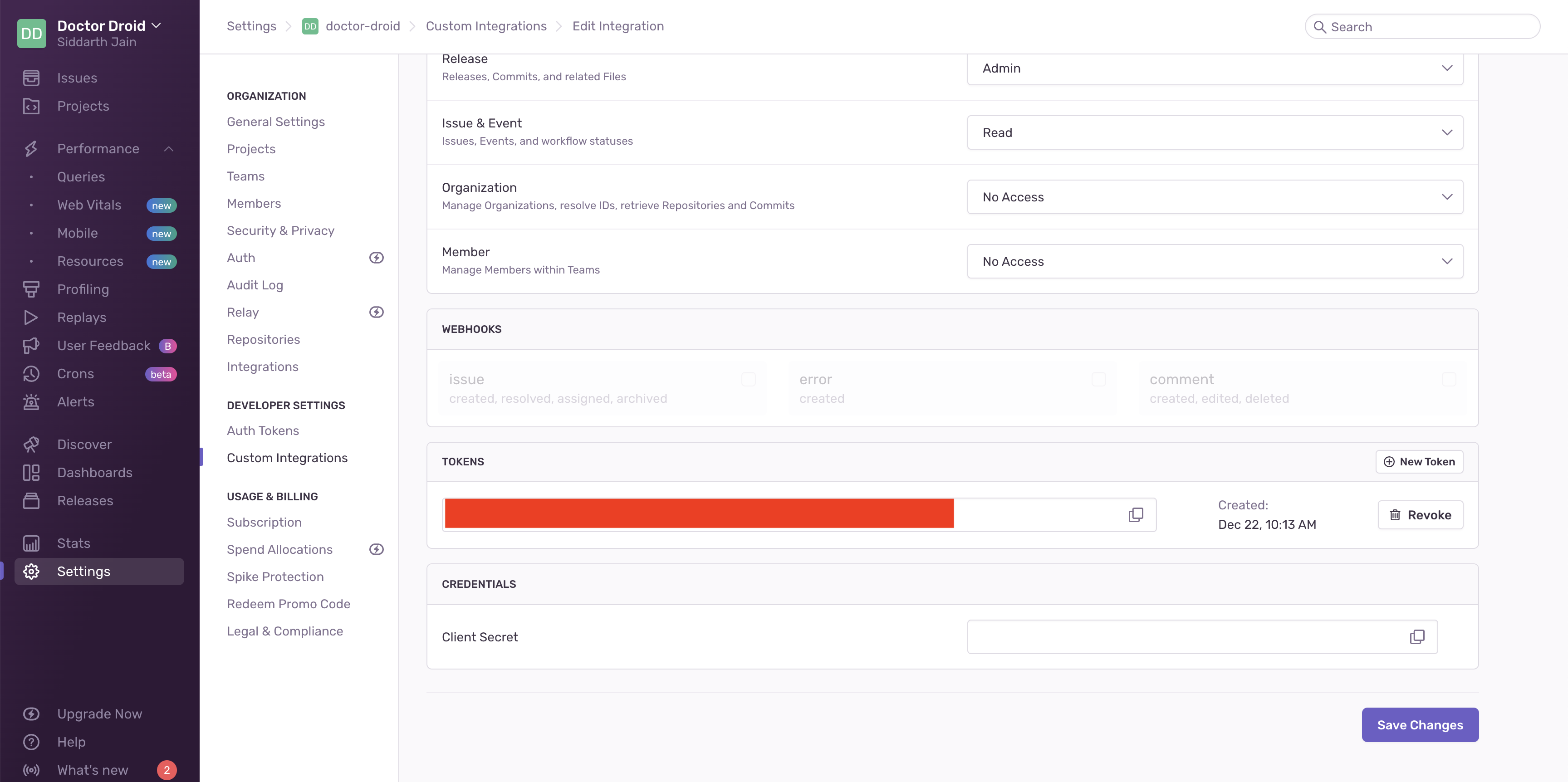
 ### Step 3: Copy and paste the generated token (Red colour) in [DrDroid Integrations tab](https://aiops.drdroid.io/)
 ### Step 4: Only for Self-hosted sentry: Make sure to add the hostname in the integrations tab.