> ## Documentation Index
> Fetch the complete documentation index at: https://docs.drdroid.io/llms.txt
> Use this file to discover all available pages before exploring further.
# Custom Slack App
> If you cannot install DrDroid provided Slack App, you can create your own custom Slack App too. Here are the steps for the same:
### Step 1: Generate the manifest
i. Go to Integrations -> New Integration -> Slack and click on `Get Manifest`
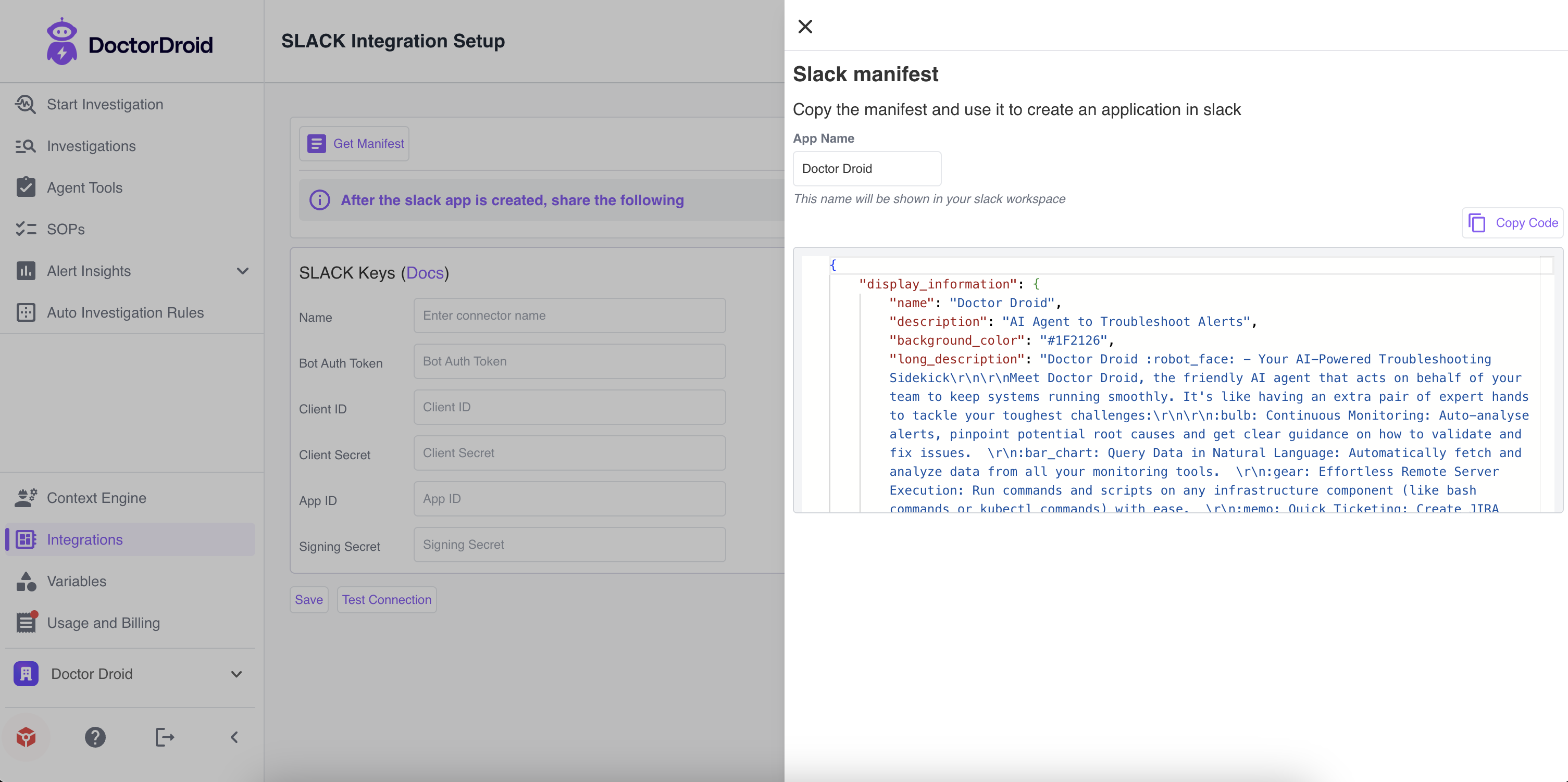 ii. Change the app name to whatever you want to keep
### Step 2: Creating Slack App and Manifest
i. Go to api.slack.com and access Your Apps.
ii. Change the app name to whatever you want to keep
### Step 2: Creating Slack App and Manifest
i. Go to api.slack.com and access Your Apps.
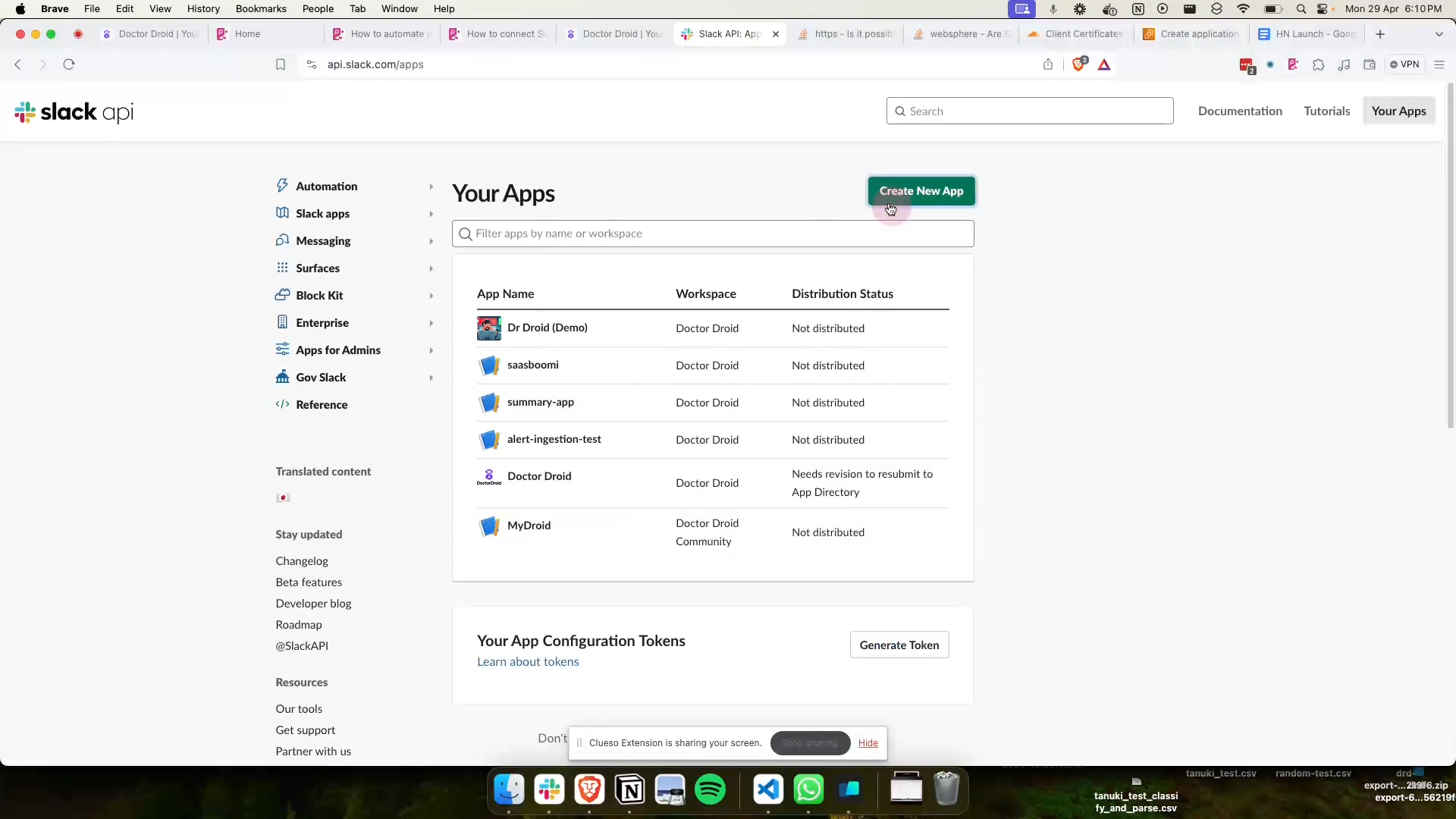 ii. Select Create New App and choose From an app manifest.
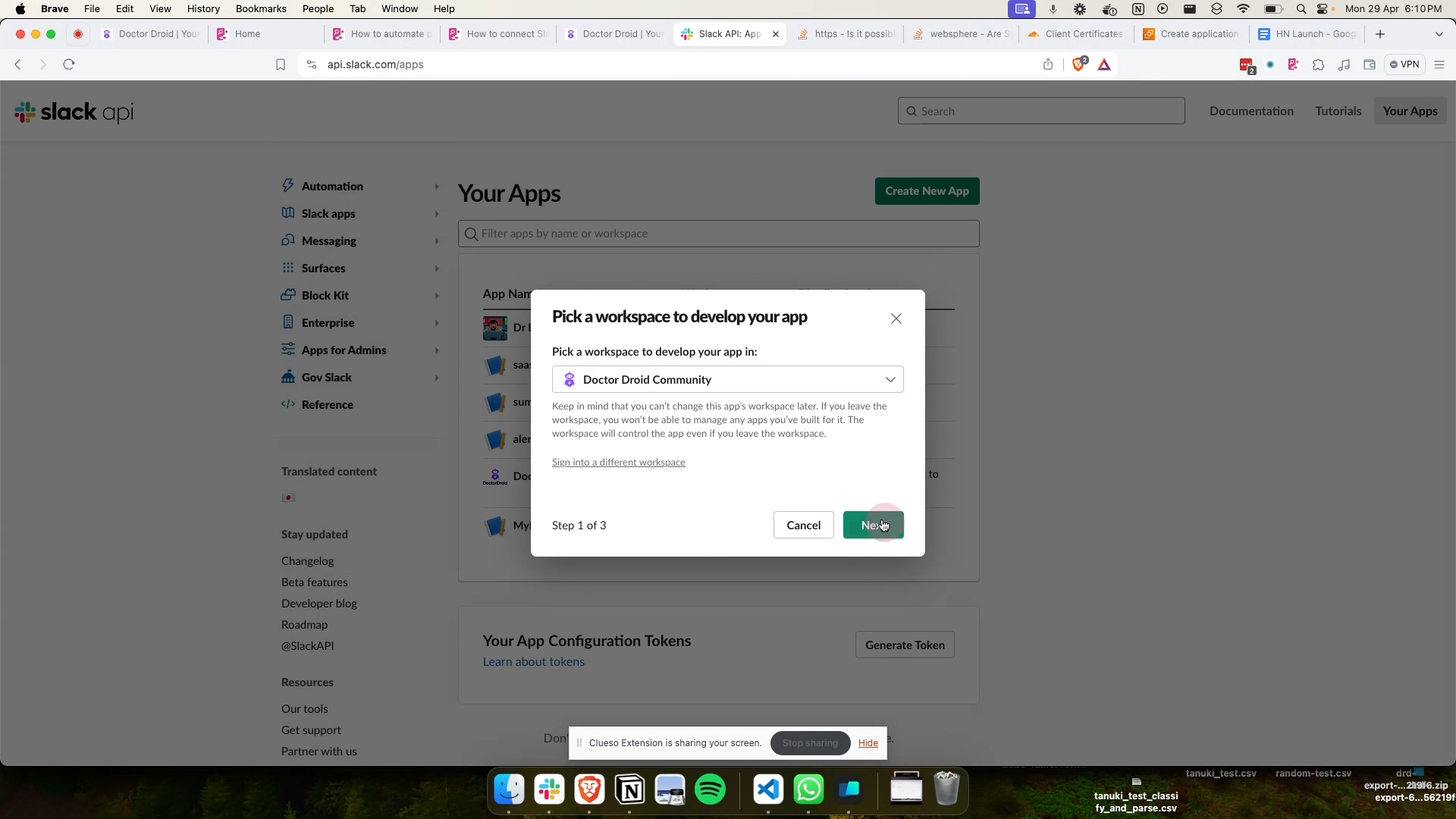
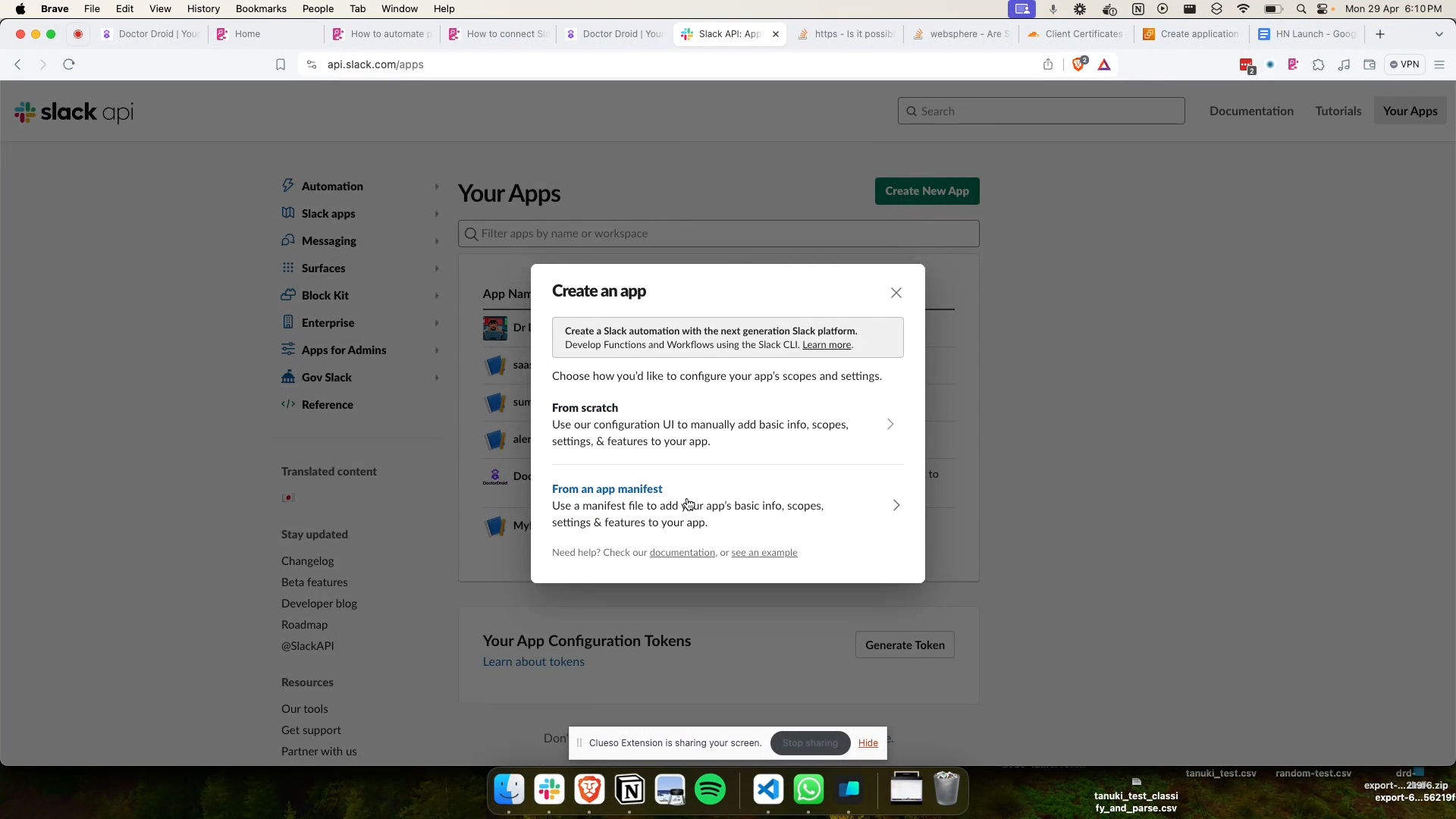 iii. Pick your desired workspace, like DrDroid Community.
 ### Step 3: Configuring App Manifest
i. Switch to the JSON tab and delete the placeholder content. Paste copied manifest in the required fields in your app manifest.
### Step 3: Configuring App Manifest
i. Switch to the JSON tab and delete the placeholder content. Paste copied manifest in the required fields in your app manifest.
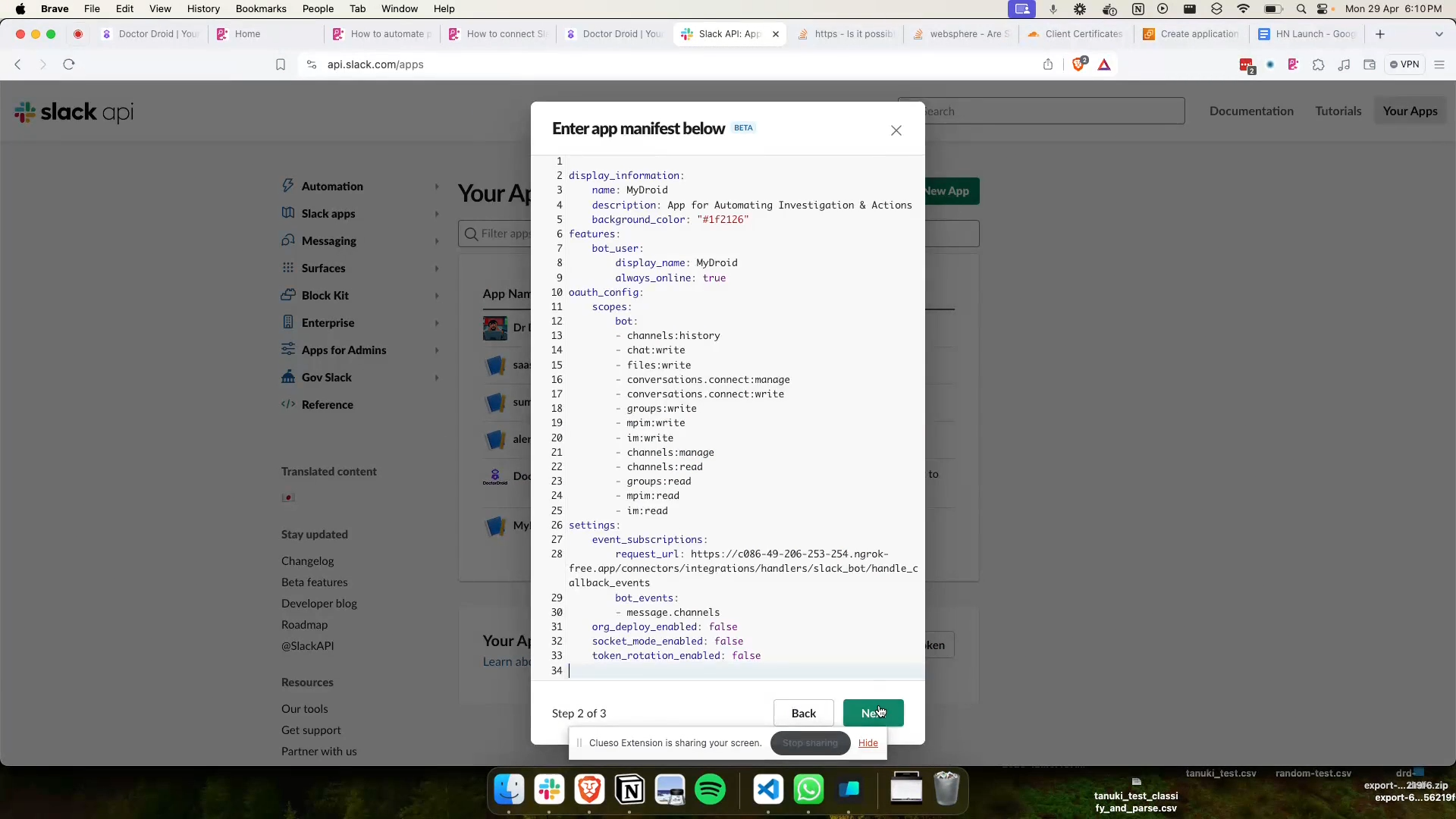 ii. After updating the manifest, select Create to register the new Slack app.
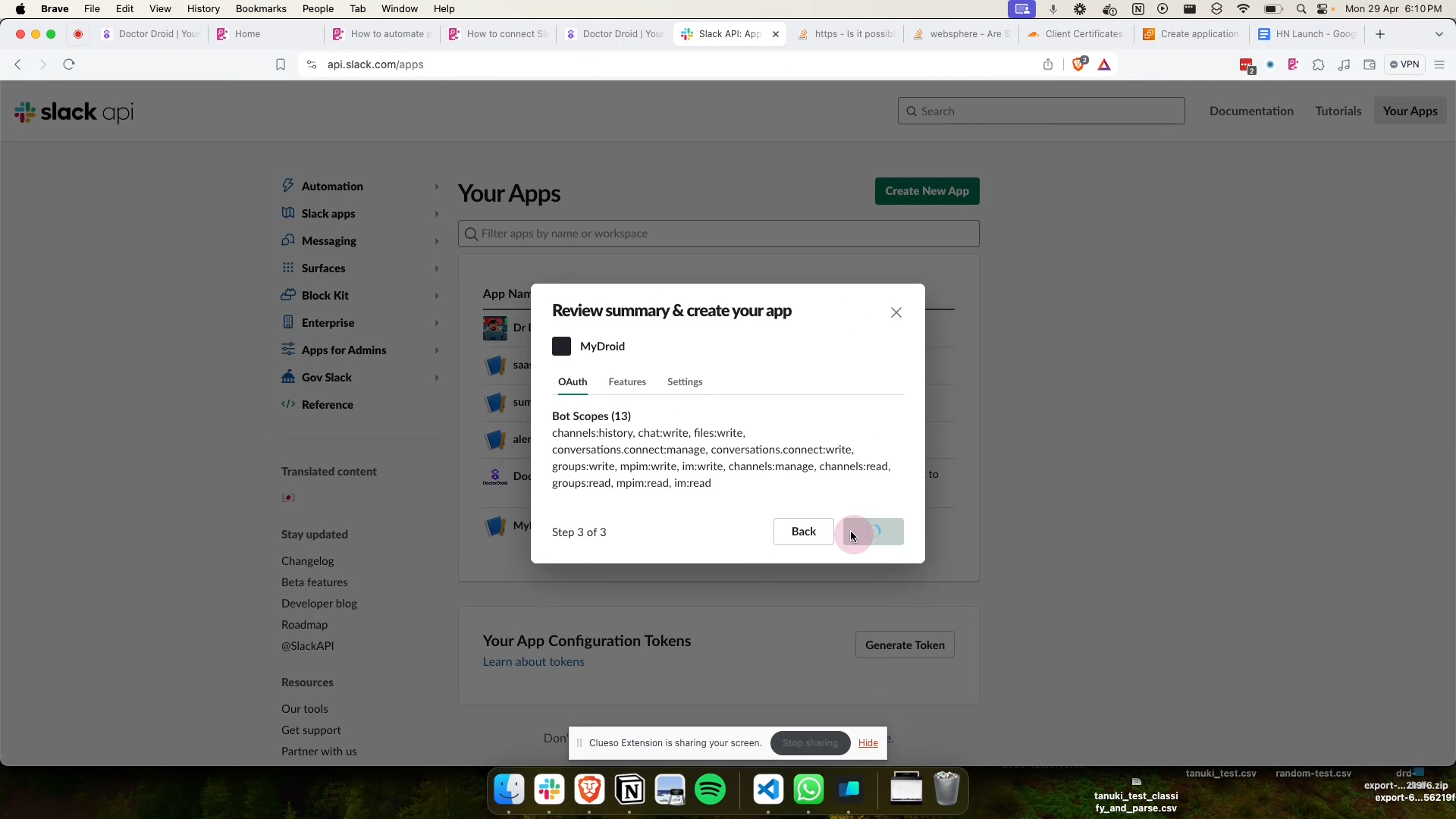 ### Step 4: Installing App to Workspace
i. Install the app to your workspace by clicking Install to Workspace and authorize the necessary permissions.
### Step 4: Installing App to Workspace
i. Install the app to your workspace by clicking Install to Workspace and authorize the necessary permissions.
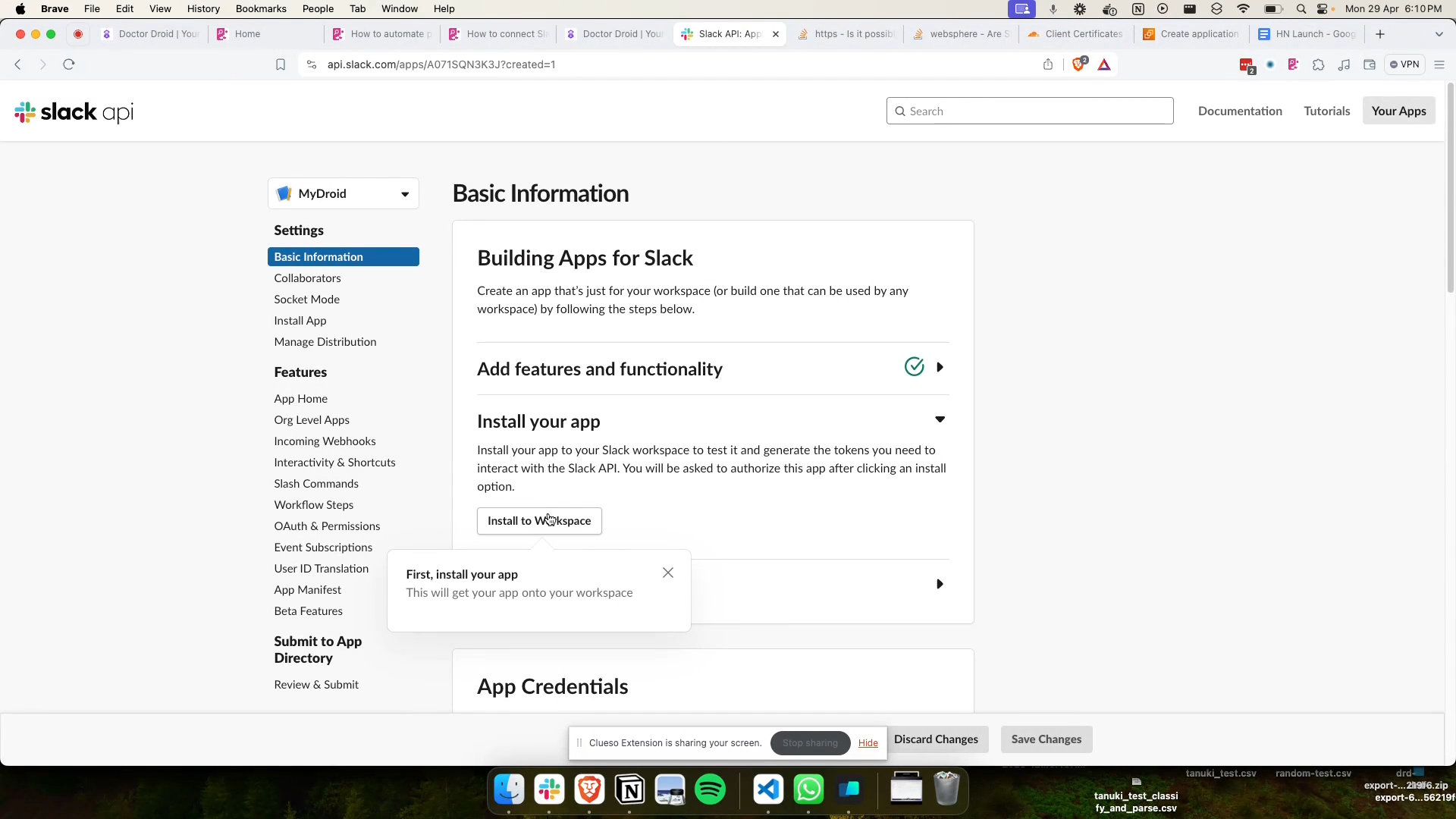
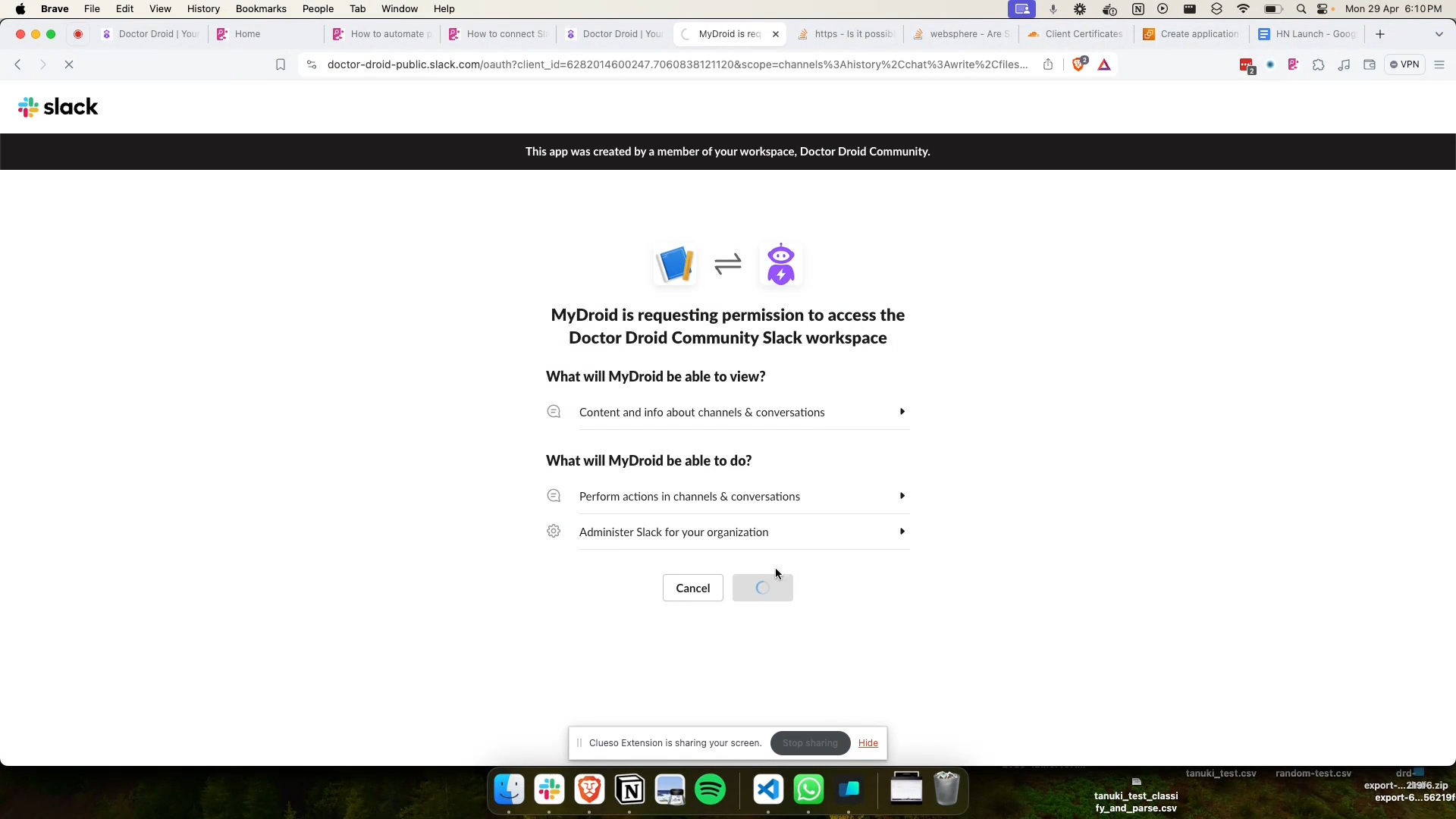 ### Step 5: Retrieving Slack Keys
i. Once the app is installed, navigate to `OAuth & Permissions` to get the Bot User OAuth Token.
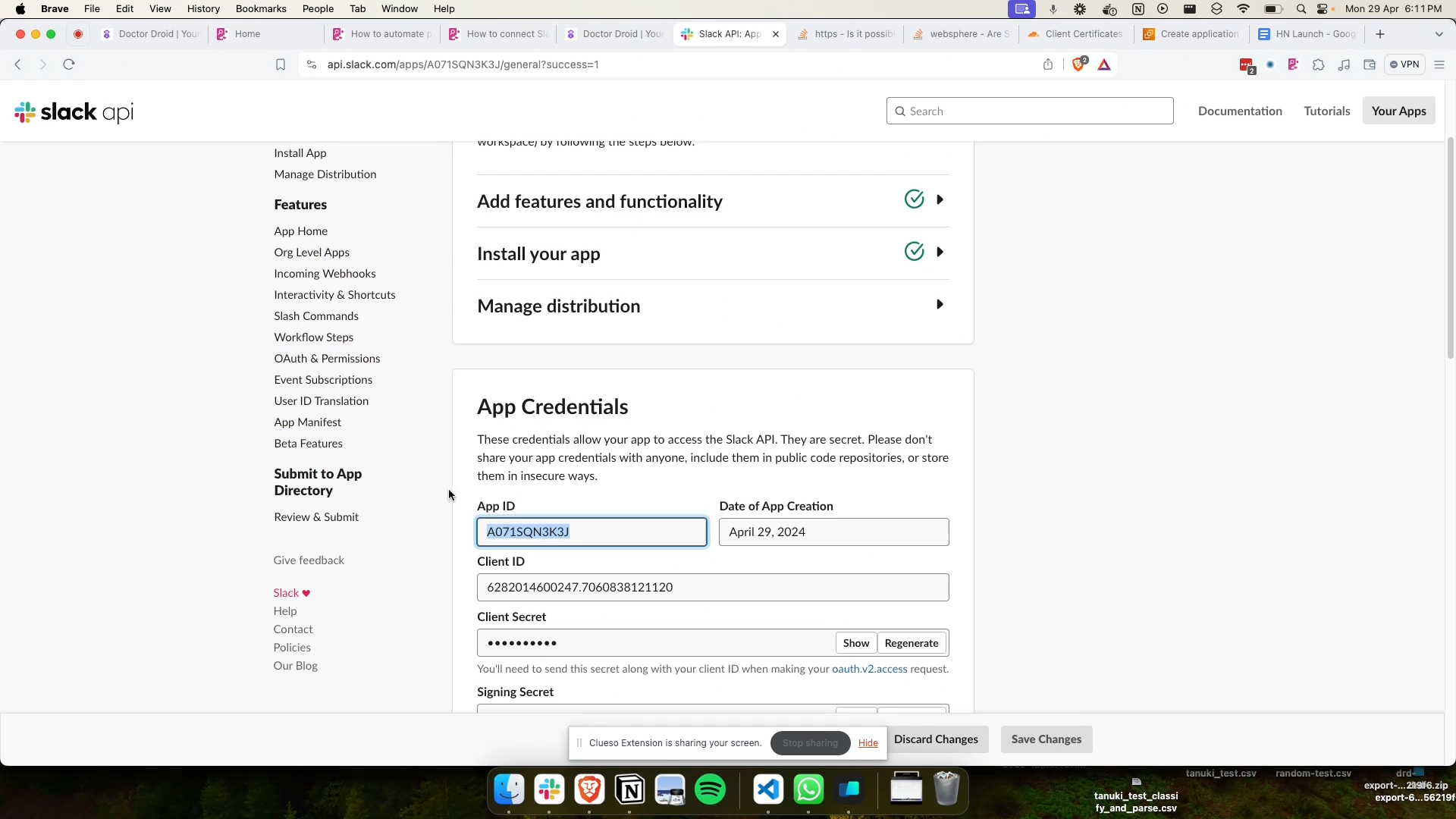
ii. Locate your App ID in the App Credentials section.
### Step 5: Retrieving Slack Keys
i. Once the app is installed, navigate to `OAuth & Permissions` to get the Bot User OAuth Token.
ii. Locate your App ID in the App Credentials section.
 ### Step 6: Finalizing Integration
i. Return to the Slack Integration Setup page in your application, and input the Bot User OAuth Token, App ID and all other required information.
ii. Test the connection to ensure your Slack integration is functioning correctly.
iii. Click Save to finalize the integration.
You've now successfully integrated Slack with your application, allowing for enhanced communication and automation features.
If you encounter any issues, double-check your host, OAuth token and app ID, and ensure that you authorized the correct permissions during the installation process.
### Step 6: Finalizing Integration
i. Return to the Slack Integration Setup page in your application, and input the Bot User OAuth Token, App ID and all other required information.
ii. Test the connection to ensure your Slack integration is functioning correctly.
iii. Click Save to finalize the integration.
You've now successfully integrated Slack with your application, allowing for enhanced communication and automation features.
If you encounter any issues, double-check your host, OAuth token and app ID, and ensure that you authorized the correct permissions during the installation process.