Connection via dashboard
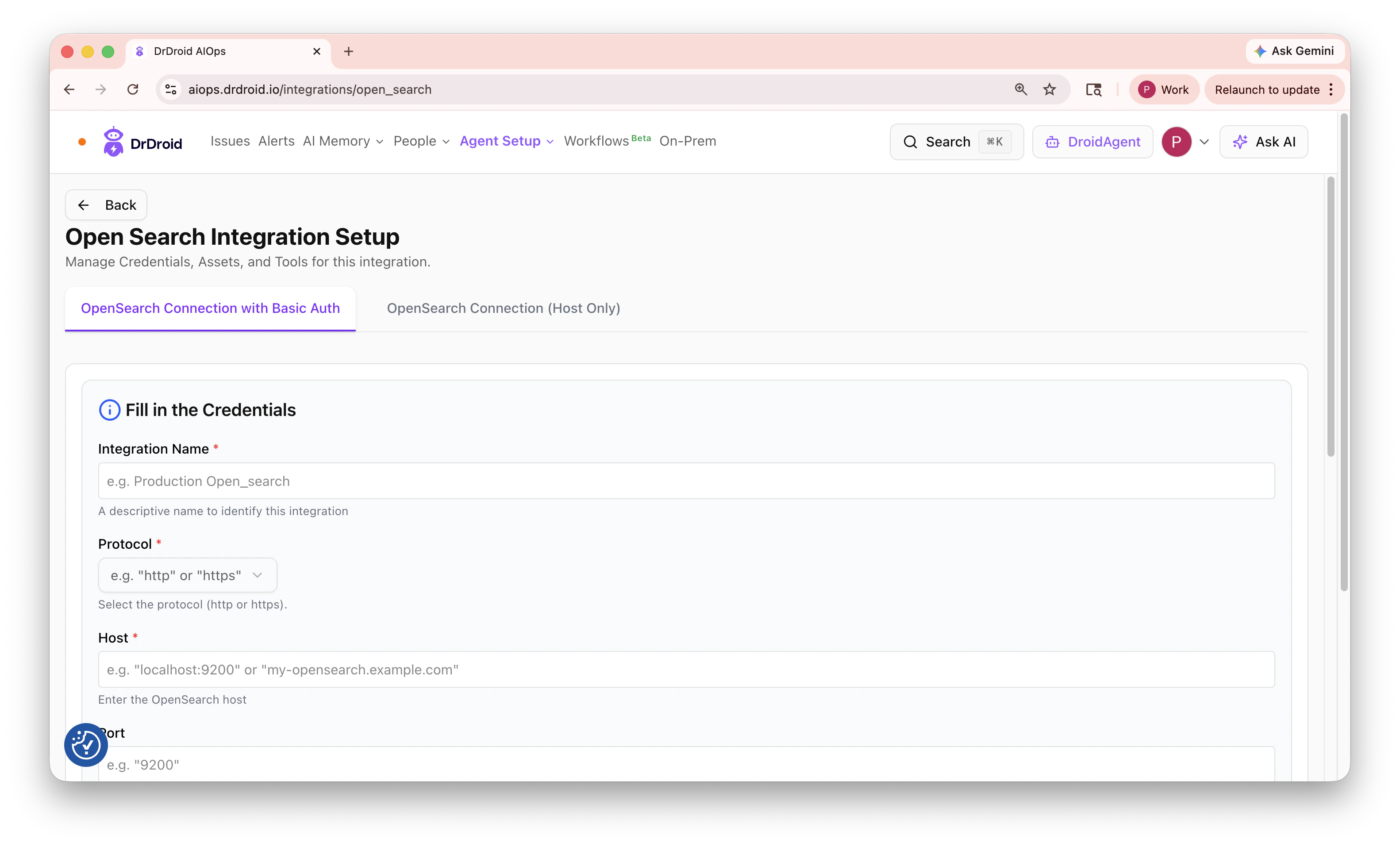
Open Agent Setup → Integrations → OpenSearch, or go directly to aiops.drdroid.io/integrations/open_search. Choose one of the two connection types:OpenSearch Connection with Basic Auth
Use this when your cluster requires a username and password.
Save the form and test the connection.
OpenSearch Connection (Host Only)
Use this when your cluster does not require basic authentication (for example, a VPC-restricted endpoint or a cluster behind another auth layer). Fill in Integration Name, Protocol, Host, and Port the same way as above. Username and password are not required for this connection type.Connection via VPC agent
If you run DrDroid through the VPC agent, add an OpenSearch entry to yoursecrets.yaml (copy from credentials_template.yaml):